
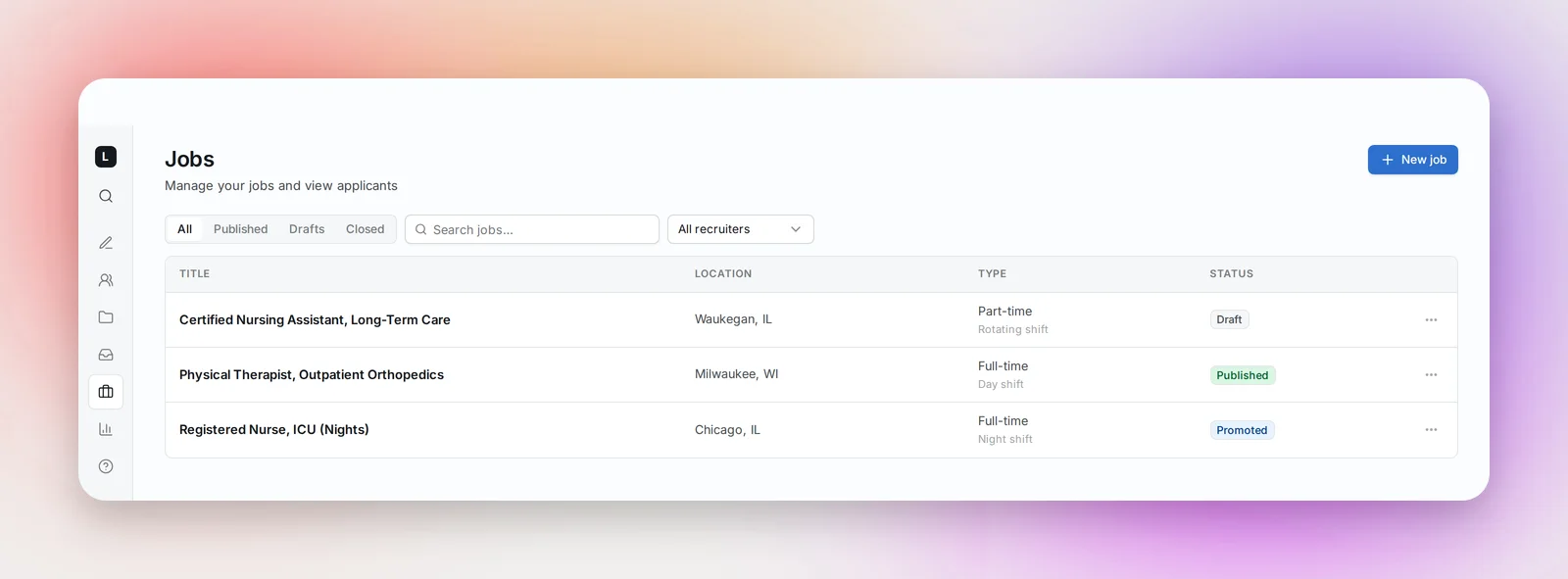
Jobs in the sidebar lists your postings with their location, type and status, filtered by All, Published, Drafts and Closed (a Deleted filter appears once something is deleted), plus a search box and a recruiter filter. The status chip reads Draft, Published, Promoted, Closed or Deleted, with "· Expired" added once the application deadline has passed. Published jobs appear on the Betterleap job board.
Creating a job
Click + New job. Only the Job title is required to save; the rest makes the posting worth applying to.
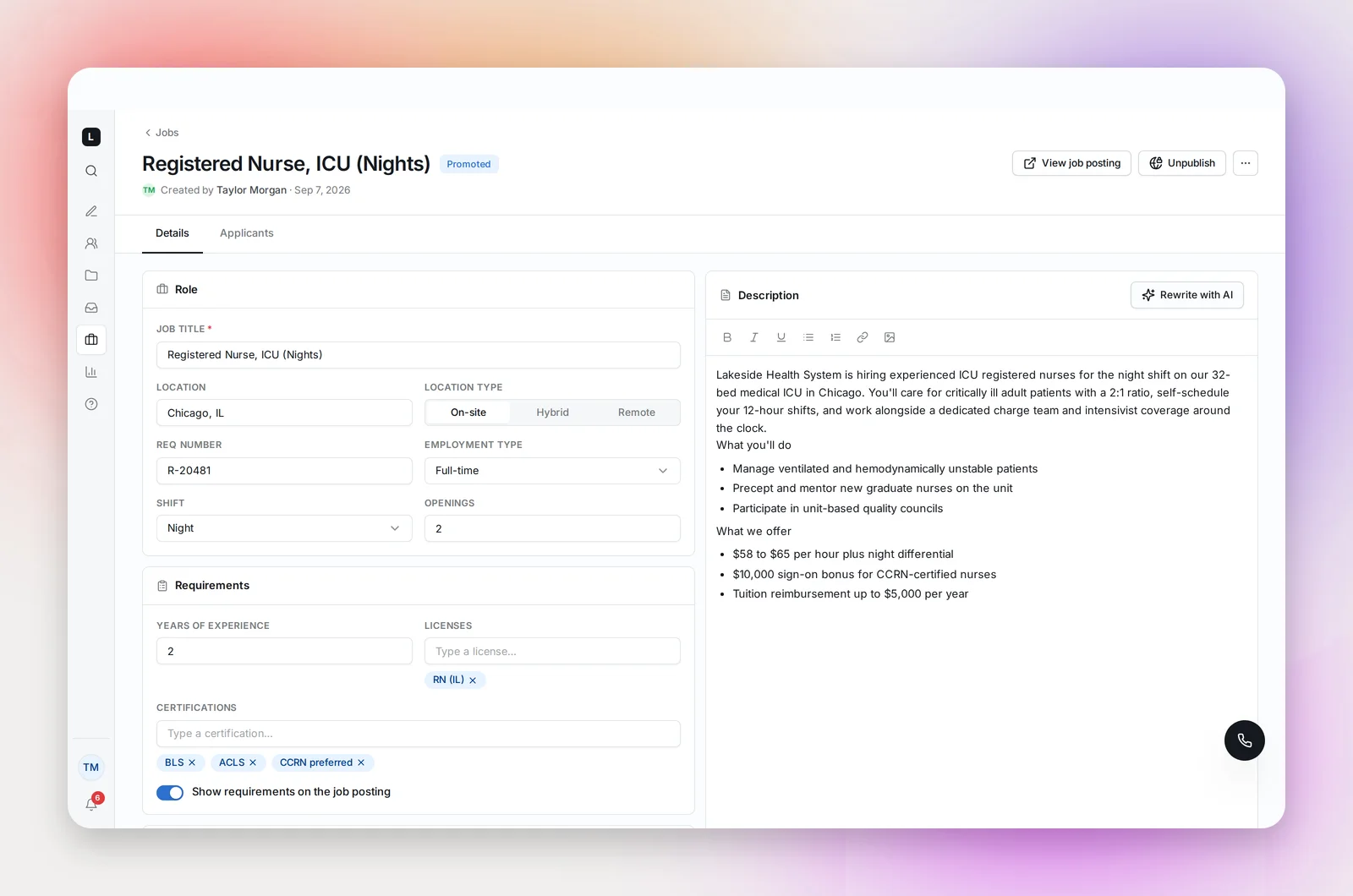
- Role: location and location type (On-site, Hybrid, Remote), req number, employment type (Full-time, Part-time, PRN, Contract, Travel and more), shift, openings, and contract duration for contract, temporary and travel roles
- Requirements: years of experience, licenses and certifications as tags, with a switch to show requirements on the job posting
- Compensation: salary min and max with a basis (Annual, Hourly, Weekly), and a switch to show compensation on the job posting. Showing pay is strongly recommended; postings with pay get more and better applications.
- Application: an External apply URL if candidates should apply in your ATS instead of the built-in form, and an Application deadline, after which the job leaves the board automatically
- Chat page: Feature this job on the Chat page suggests the job to candidates chatting with your team; featured jobs appear on your chat page, promoted ones first
- Description: a rich-text editor. Write with AI drafts a description from the title and details, and Rewrite with AI revises what's there.
Save as draft keeps it private. Publish puts it on the board; the toast confirms. A published job gets Save changes, View job posting and Unpublish, and the menu offers Promote, which marks the job Promoted and lists it first on your employer page and chat page.
Applicants
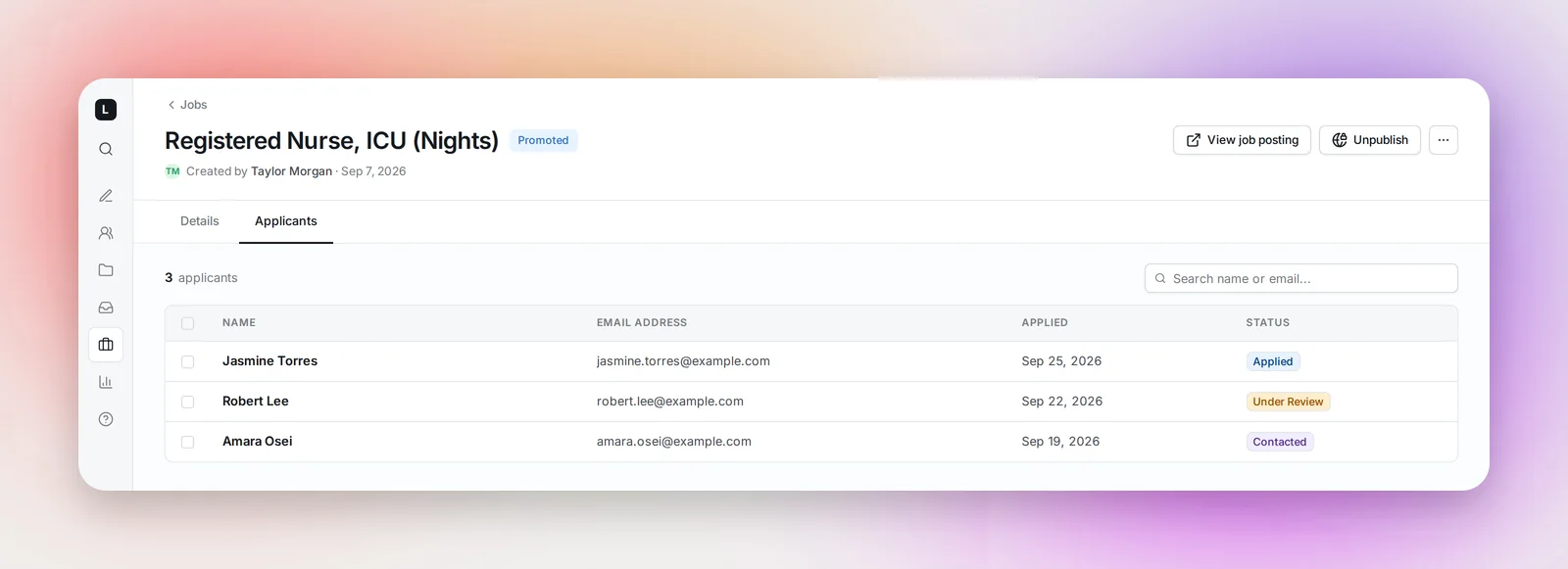
Once saved, the job has an Applicants tab: name, email, date applied and status (Applied, Under Review, Contacted, In Pipeline, Not Moving Forward, Withdrawn). Click a row to open the candidate. Select applicants and Add to Project to put them in a project's pipeline; they're told they've moved forward.
Closing and deleting
Unpublish takes a job off the board and marks it Closed; applicants are kept. Delete moves it to Deleted, from where Restore job brings it back.
Frequently asked questions
Do I have to use the built-in application form?
No. Set an External apply URL and the Apply button sends candidates to your ATS.