
If you already have a list, start from it. Click "or import a file" under the suggestion cards on the home screen (or Add candidates inside a project) to open the import wizard.
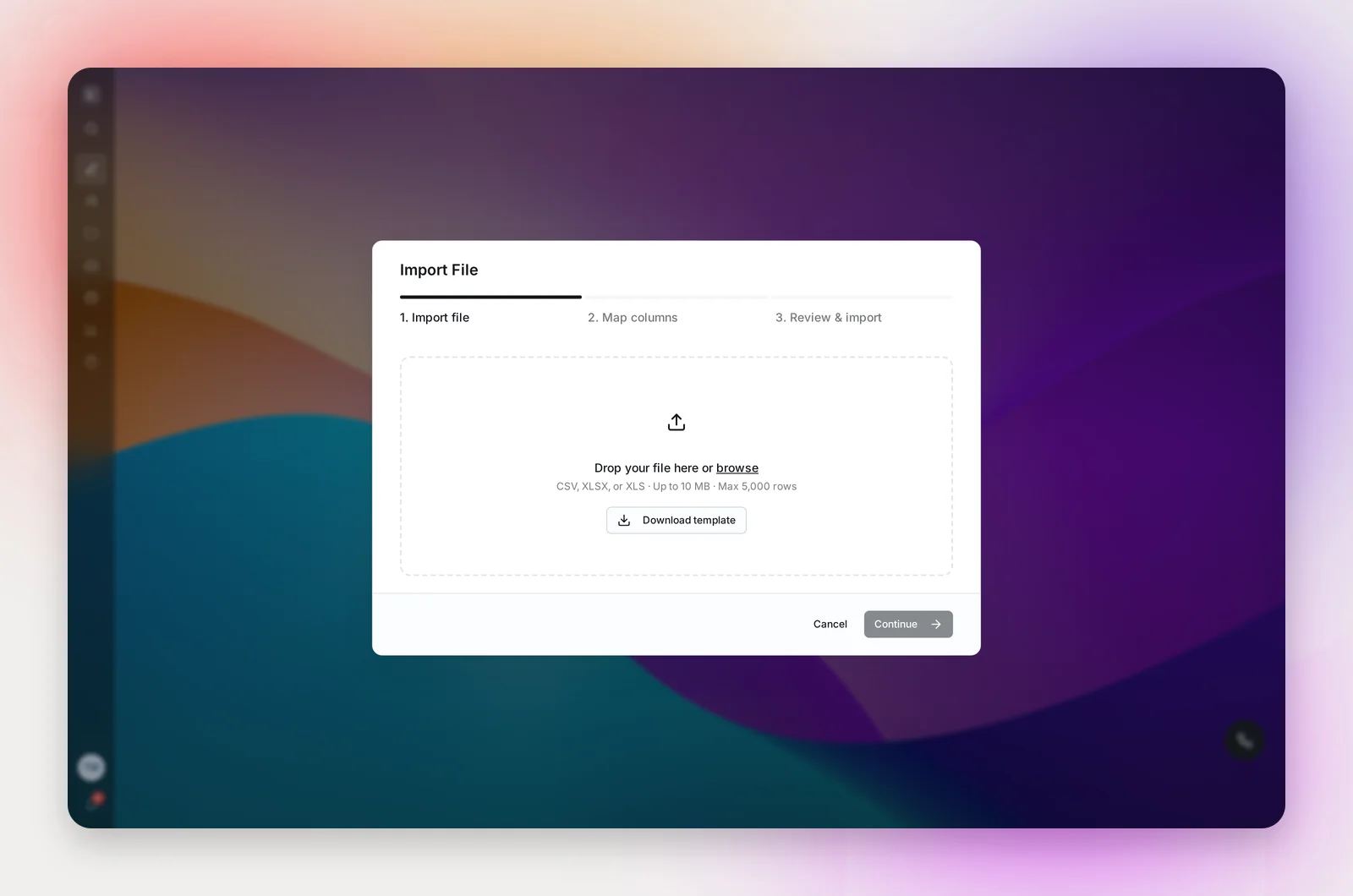
1. Import file
Drop a CSV, XLSX or XLS file up to 10 MB and 5,000 rows, or Download template for a ready-made layout.
2. Map columns
Match each column to a field: First Name, Last Name, Email, LinkedIn URL, Phone, Job Title, Company, Location, or Skip. Common headings are matched for you. Each row needs an Email or a LinkedIn URL; unmapped columns are kept as raw data on the candidate.
3. Review and import
Name the project (when creating a new one) and check the count. Review Duplicates lists identifiers that already exist in other projects, with the project, recruiter and status; duplicates are skipped by default, and you can untick any to import them anyway.
Trust these emails skips email verification and allows outreach to every address in the file. Unsubscribes and Do Not Contact still apply, and addresses that have hard-bounced before are still skipped. Use it for lists you know are current, for example your own past applicants.
Click Import N Candidates. The import runs in the background; you can close the window, and the project's Candidates tab shows "Import complete" with the number added and skipped. You'll also get a notification.
Frequently asked questions
What happens to rows with no email and no LinkedIn URL?
They're reported as issues at the end ("Row N: missing email or LinkedIn URL") and not imported. Fix the file and import again; anyone already imported is skipped as a duplicate.
Does the import create a new project?
From the home screen, yes, a Manual project named in the review step. From inside a project, candidates are added to that project.
The import failed part way.
Re-run it. Candidates already imported are skipped as duplicates, so nothing is added twice.
My file has credentials in the name column.
Betterleap removes titles and credentials like RN or Dr. from the start or end of a name so greetings read "Hi Jane,". Put licenses in their own column if you want to keep them.