
The Do Not Contact (DNC) list is workspace-wide: any candidate whose email matches an entry is excluded from sourcing and from every sequence, in every project, for every recruiter. Admins manage it under Settings → Do not contact.
Emails and domains
The page has two tabs, Emails and Domains, each showing its count.
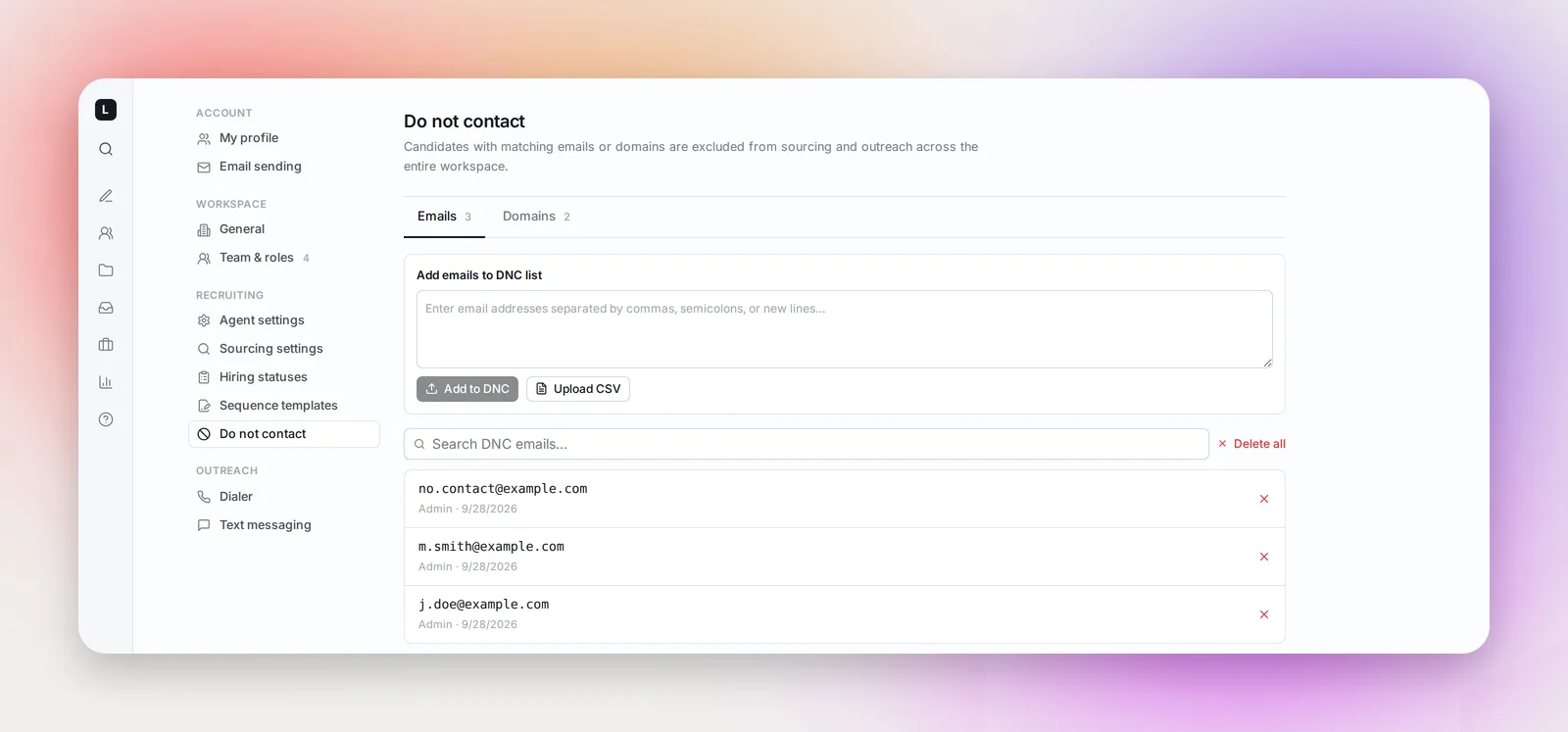
- Emails: paste addresses separated by commas, semicolons or new lines and click Add to DNC. The confirmation tells you how many were added, how many more addresses were picked up from matching candidates' profiles, and how many were already on the list.
- Domains: add
competitor.comor@hospital.org(the @ is dropped) to block every address at that domain. Useful for current clients, partner organizations, or anyone who has asked not to be approached.
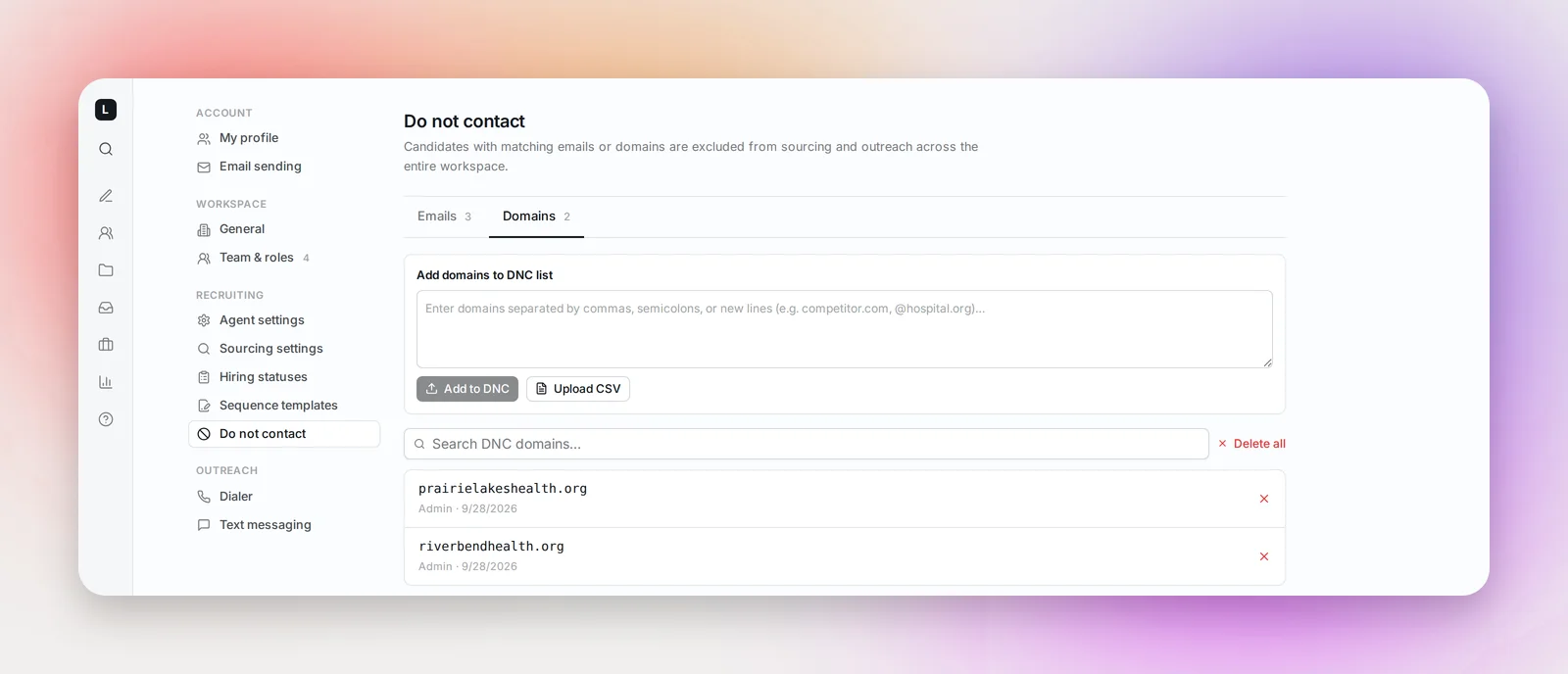
Either tab accepts Upload CSV (.csv, .tsv or .txt). For emails, a column headed "email" is used if there is one; otherwise every address found in the file is picked up. For domains, every valid domain in the file is picked up.
Each row shows where it came from (Uploaded or Admin) and when it was added. Search the list, page through it, or remove a single row with its ×. Delete all clears the whole tab after a confirmation.
What happens to matching candidates
A candidate whose email matches is marked DNC in every project and receives nothing further, including remaining steps of a sequence they were already in. When you remove an entry, the delete dialog offers to restore eligible candidates who were never emailed back to Pending; candidates who had already been sent email stay DNC.
Frequently asked questions
Does it stop calls and texts too?
The DNC list governs sourcing and email outreach. Treat it as your record of who not to approach by any channel.
Can a Recruiter add to it?
No, only Admins. Recruiters who receive an opt-out request should pass the address to an Admin.
How is this different from organization aliases?
Aliases exclude candidates who currently work for you. The DNC list excludes specific people and domains regardless of where they work. See Workspace Settings.