
Everything that belongs to your organization rather than to you lives under Workspace in Settings. The General page has three parts.
Name and domain
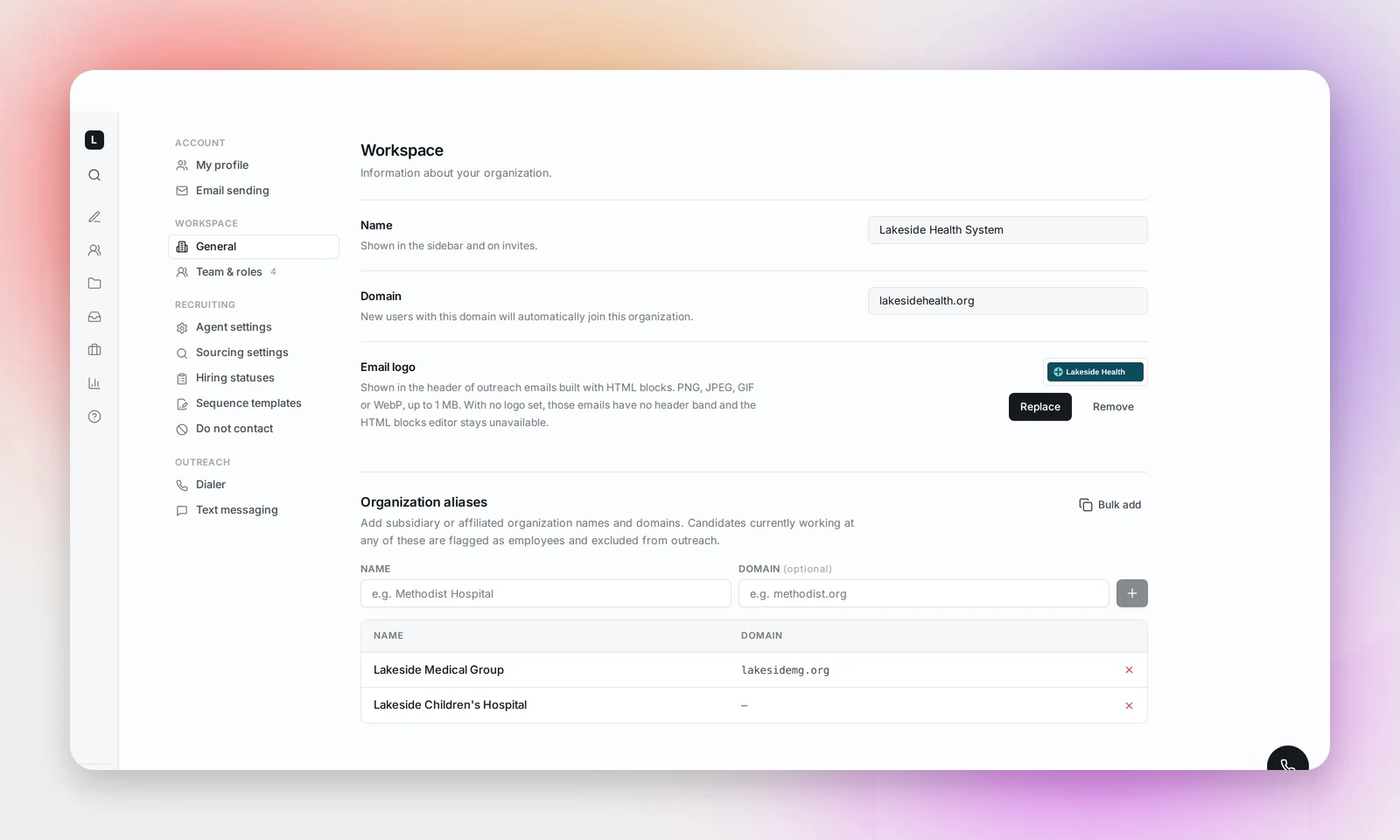
Name is how your organization appears in the sidebar. Domain is the work email domain linked to your workspace: teammates with a seat sign in with an address on it and land here. Both are set when your workspace is created and are read-only; contact [email protected] to change them.
Email logo
The logo is shown in the header of outreach emails built with HTML blocks. Admins can Upload a PNG, JPEG, GIF or WebP up to 1 MB, then Replace or Remove it later.
The logo is optional: with none set, HTML-block emails simply have no header band, and the sequence editor shows admins a reminder where it would appear. Plain-text emails are unaffected.
Organization aliases
Aliases are the other names and domains your organization operates under: subsidiaries, hospital brands, affiliated groups. Candidates who currently work at any of them are flagged as employees and excluded from outreach, so you never cold-email your own colleagues.
Admins add an alias with a Name (for example "Methodist Hospital") and an optional Domain ("methodist.org"), or use Bulk add to paste one alias per line, with a comma before the domain. Remove an alias with the × on its row.
Frequently asked questions
Does an alias remove candidates who used to work for us?
No. Only candidates whose current employer matches an alias are excluded. Former employees remain reachable.
We have more than one sign-in domain. Can we add another?
Not from this page. Contact [email protected] and we'll add it to your workspace.