
A sequence template is a saved multi-step sequence: the emails, their delays and send times, and the weekend and holiday settings. Templates belong to your workspace, so anything one recruiter saves is available to everyone.
Saving a template
In a project's Sequence tab, click Save and give the template a name and a short description. The current steps are copied into the template; later edits to the project don't change the template, and later edits to the template don't change the project.
Applying a template
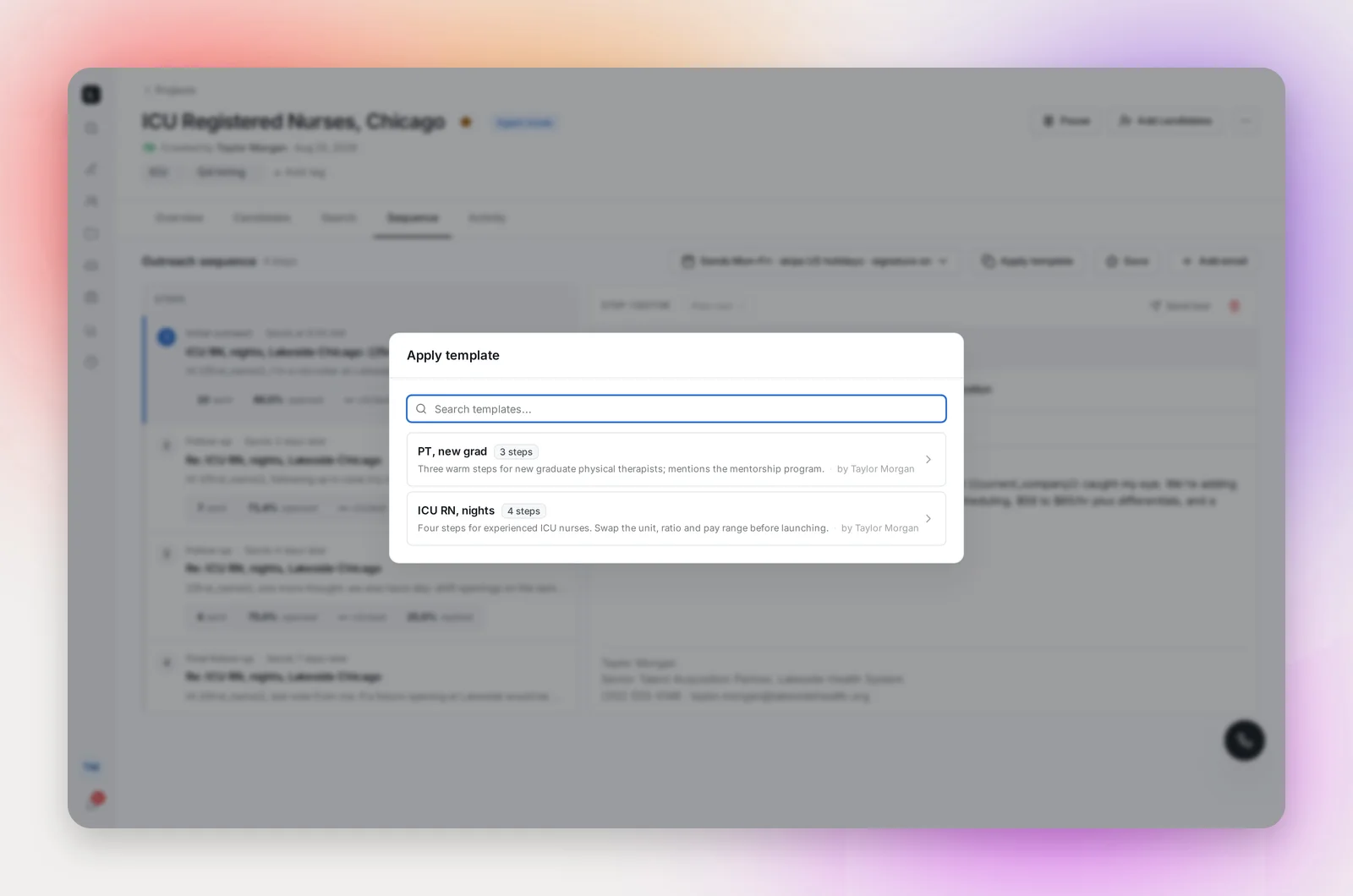
In the Sequence tab of any project, Apply template lists the workspace's templates. Pick one and confirm, and its steps replace the project's current sequence. Then personalize: the role, the location, the pay details, anything the template left generic.
Managing templates
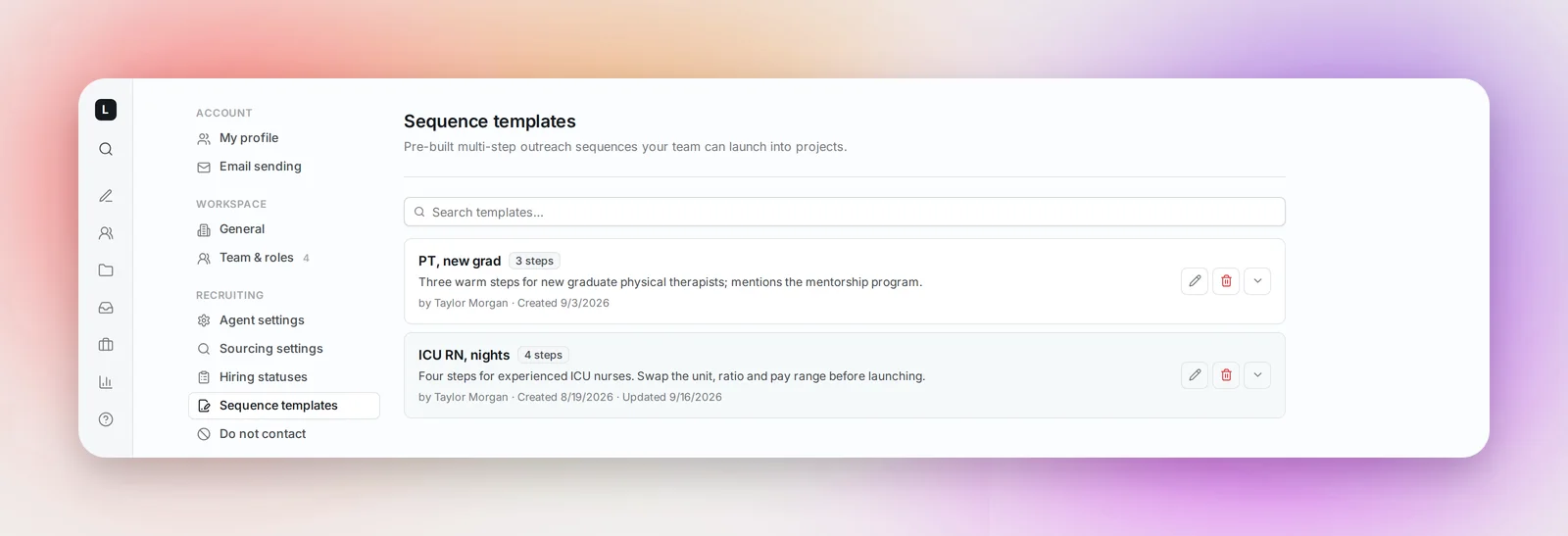
Settings → Sequence templates lists every template with its step count, description, creator and dates. Search by name, expand a card to read each step's subject and preview and see whether it sends on business days only and on holidays, Edit to open the template editor, or Delete. Deleting a template doesn't affect projects that already used it.
Frequently asked questions
Do templates include my signature?
No. Your signature (Settings → Email sending) is added to every email you send, whichever template the project uses.
Can I use personalization variables in a template?
Yes, and you should: {{first_name}}, {{job_title}} and the sender variables fill in per candidate and per sender when the project sends. See Personalization Variables.
Can I make a template from scratch without a project?
No. Templates are saved from a project's Sequence tab. Once saved, you can edit them from Settings → Sequence templates.
Does a template keep a send-on date?
No. The template editor only offers Send immediately and Send at; a date belongs to one project's sequence, so set it in each project's Sequence tab. See Sending a Sequence on a Future Date.