
Step 1 of a sequence normally sends either immediately or at a set time of day, candidate by candidate as the agent reaches them (see Building a Sequence). A third option, Send on a future date, holds every first email until a day you choose. Build the project now, load and approve candidates over the week, and the whole list goes out together on the date.
Choosing a date
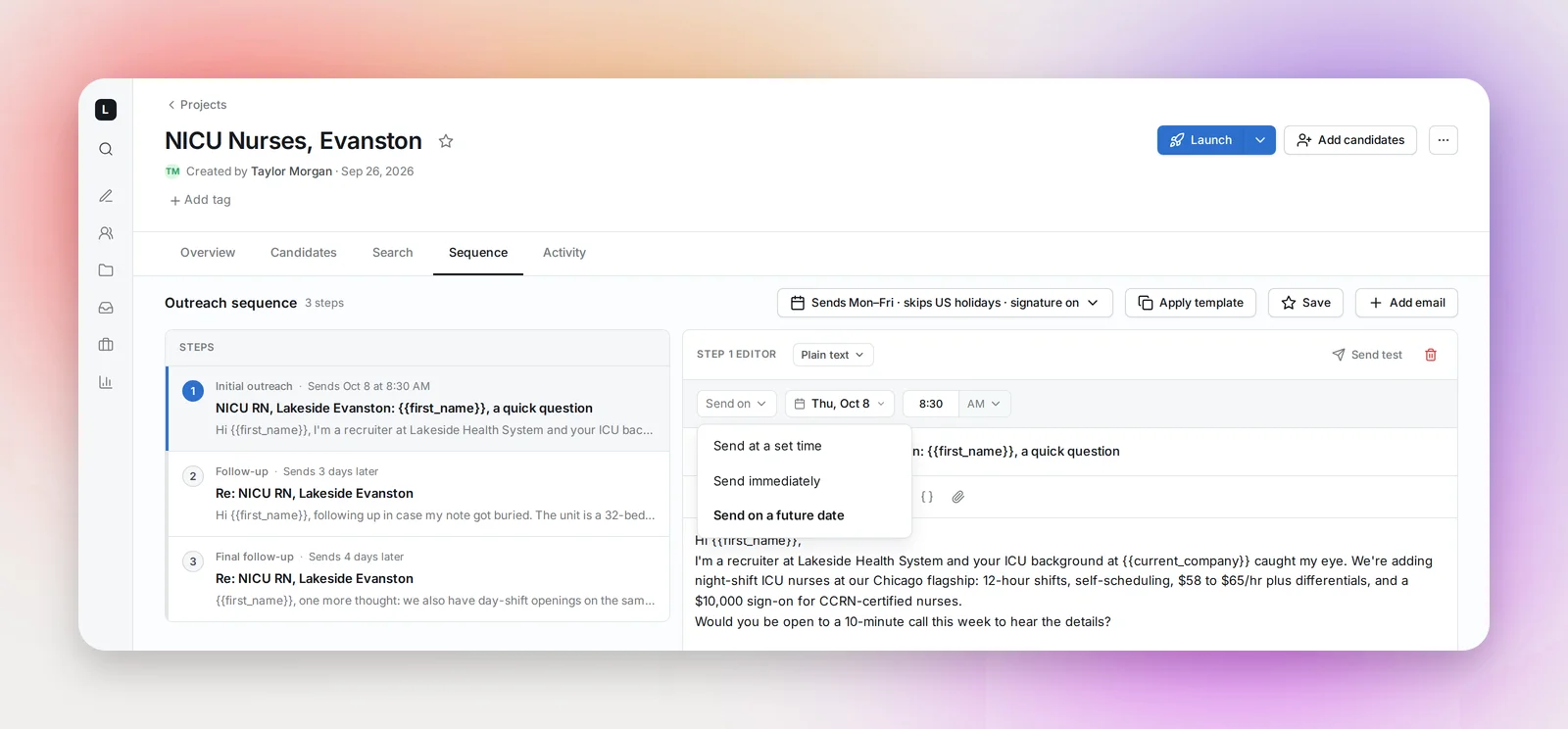
On the Sequence tab, select step 1 (Initial outreach). The control at the top left of the editor reads Send at, Send immediately or Send on. Open it and pick Send on a future date.
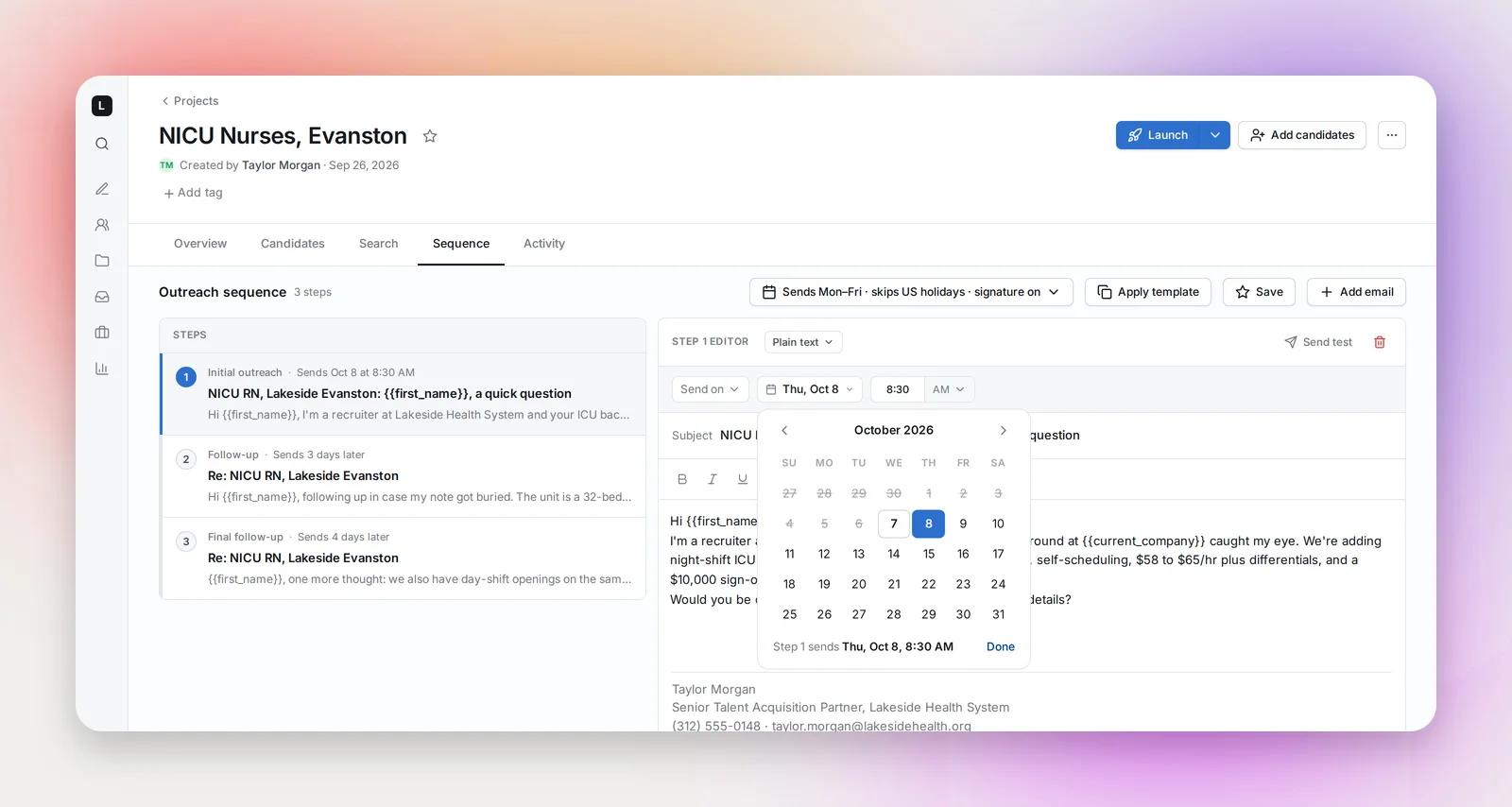
A calendar opens, preset to the next weekday. Days before today are struck through; today is allowed. Picking a day saves it at once, the footer confirms "Step 1 sends Tue, Oct 14, 8:30 AM", and Done closes the calendar. The date stays as a chip next to the control, and the step card reads "Sends Oct 14 at 8:30 AM".
The time is step 1's usual send time, in the project owner's time zone (Settings → My profile); change it with the time control as before. To go back, pick Send at a set time or Send immediately from the same menu and the date is cleared.
What happens on the day
- Every candidate in the project who hasn't been contacted yet gets step 1 that day, at the step's send time. Candidates added at any point before the date wait for it.
- The date is an instruction, so step 1 goes out even if the day is a weekend or a holiday with Send on weekends or Send on holidays off. Follow-ups still respect those switches, so no follow-up goes out on an off day.
- Follow-ups count from step 1 as usual: "In 3 business days" means three business days after the day it sent.
- Your daily email limit still applies. A list larger than the limit starts on the date and continues over the following days.
- Once the date has passed, candidates added later follow the normal daily schedule at step 1's send time. The date stays on the sequence until you change it.
A project only sends once it's launched, and Launch and Resume refuse a date that has already gone by: "Your send-on date (Oct 12, 2026) is in the past. Update the date before launching." The page jumps to the Sequence tab so you can pick a new one.
Frequently asked questions
What if I launch on the date itself, after the send time?
Step 1 still goes out that day, as soon as the agent next runs. The whole of the chosen day counts.
Does the date apply to follow-ups?
No. Only step 1 waits for the date; follow-ups are timed from the day step 1 was sent.
Can I use it on a manual project?
Yes, the control is the same. Send 1st step on an individual candidate sends right away, date or not, like it ignores the daily send time.
Can a template carry a date?
No. Templates hold the emails and their timing; the date belongs to one project's sequence. Applying a template keeps the date you've set.
Can I set a date on a project that's already running?
Yes. Candidates who haven't been contacted yet wait for it; candidates mid-sequence carry on.