
Every step in a sequence has a format, chosen from the dropdown at the top of the step editor next to Send test. Formats are per step, so one sequence can mix them: a designed, branded first email and personal-looking follow-ups, for example.
The three formats
Plain text is the default and what the agent's drafts arrive in. Despite the name it's a simple formatted editor: bold, italic, underline, bullet and numbered lists, links, inline images, personalization variables and attachments. The email that lands looks like a message a person typed. Use it when you want outreach to read as one-to-one: first touches to passive clinicians, follow-ups, anything conversational.
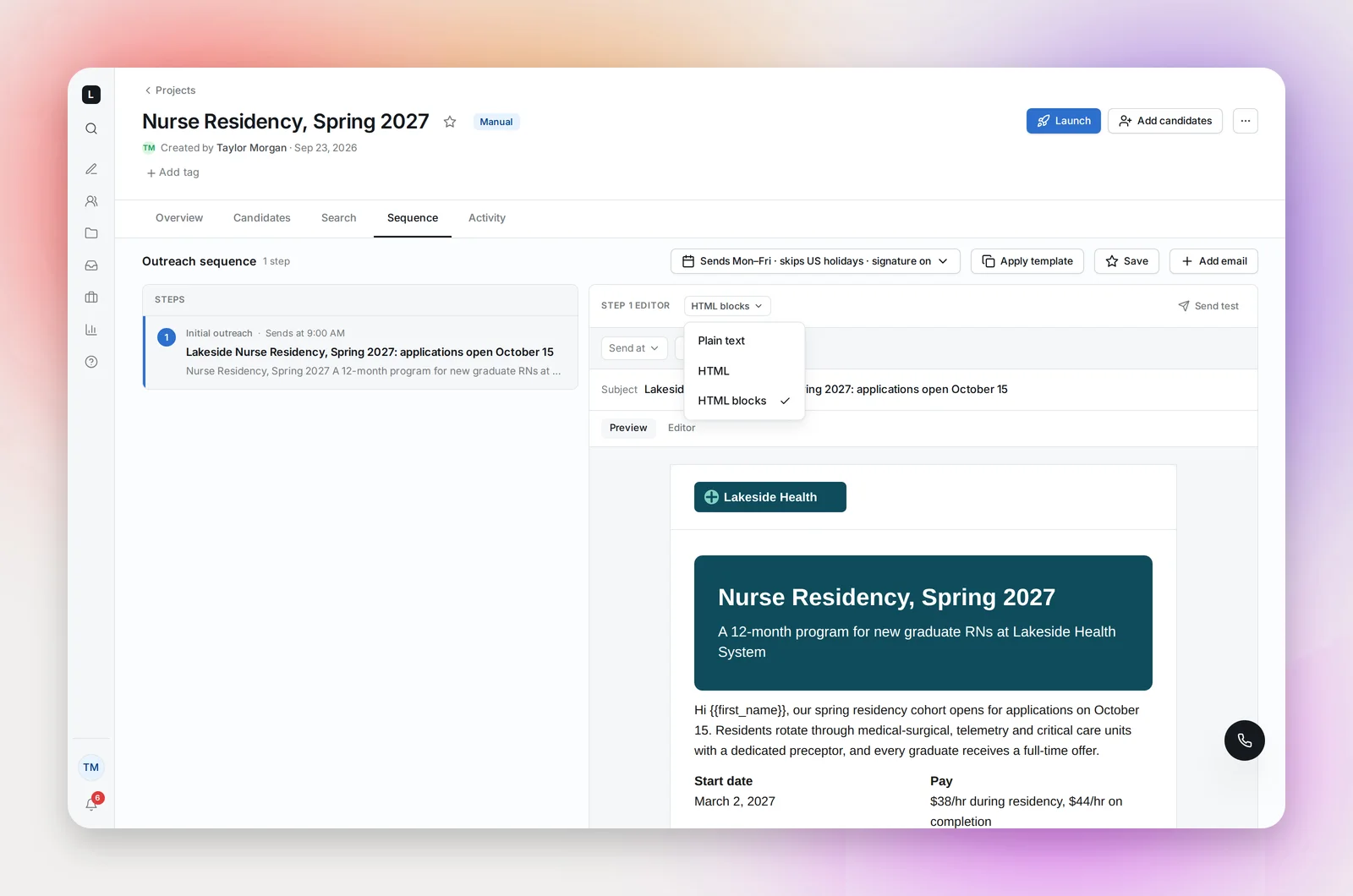
HTML is for email you already have as code: a designed template from your marketing team, an announcement built in another tool, a layout you want reproduced exactly. Paste the code into the Editor view, then use the Preview view to edit the words in place without touching the code: click any text, change it, and the design stays intact. The same toolbar, variables and attachments are available in Preview. HTML is available to Admins.
HTML blocks gives you a designed, branded email with no code at all. You assemble it from blocks: heading, text, image, two columns, a call-to-action button, a hero banner. If your organization has set an email logo, it sits in a header band at the top; your signature goes below, and the unsubscribe line under that. Use it for employer-brand campaigns, job announcements, events and residency cohorts, or any email where you want a button people click. See Building an Email with HTML Blocks.
Choosing per step
- Reaching a passive candidate for the first time? Plain text. It reads like a note from a recruiter, not a campaign.
- Announcing a role, a sign-on bonus, an open house, a new unit? HTML blocks. A banner with the headline, three lines of text, a button to the job page or your calendar.
- Your marketing team has already built the email? HTML. Paste it and edit the copy in Preview.
- Follow-ups? Usually plain text, even after a designed first email. A short personal follow-up after a branded one is a strong combination, and follow-ups are where most replies come from.
What's the same in every format
- Tracking: opens and clicks are tracked in all three. Every web link is tracked; the Sequence tab shows opened, clicked and replied per step, and the Overview shows the click rate as a share of emails that contained a link.
- Variables: candidate and sender variables work in all three, in the subject and the body. See Personalization Variables.
- Signature and unsubscribe: your signature is added at the end (controlled by the sequence's Include signature switch) and the unsubscribe line is added when the email sends. One exception: an HTML step that is a complete document, with its own page structure, is sent exactly as written, without the signature.
- Attachments and Send test work the same way.
Switching formats
Switching never loses anything. The first time you switch a step to HTML blocks, its text is turned into blocks (paragraphs to Text, headings to Heading, images to Image). Switch back and the original comes back exactly as it was; switch to blocks again and your block layout is still there. Only the selected format is sent.
The format is locked once the project has launched: "email format can only change while it's a draft". Text edits are still allowed after launch in Plain text and HTML; a launched HTML-blocks step is read-only.
Frequently asked questions
I only see Plain text in the dropdown.
The dropdown appears once more than one format is available. HTML is shown to Admins; HTML blocks is available whether or not your organization has an email logo. If you expected another option, ask your admin.
Does a designed email hurt deliverability?
Not in itself. Mail providers care about who you send to and how they react, not whether there's a banner. Keep images light, always have real text alongside them (some clients block images), and keep the same sending limits you'd use for plain text.
Can templates hold HTML-blocks steps?
Yes. Saving a sequence as a template keeps each step's format and layout, and the template list marks those steps with an "HTML blocks" chip. Applying such a template to a launched project, or in a workspace without HTML blocks, applies the step as plain text and keeps the layout for later.