
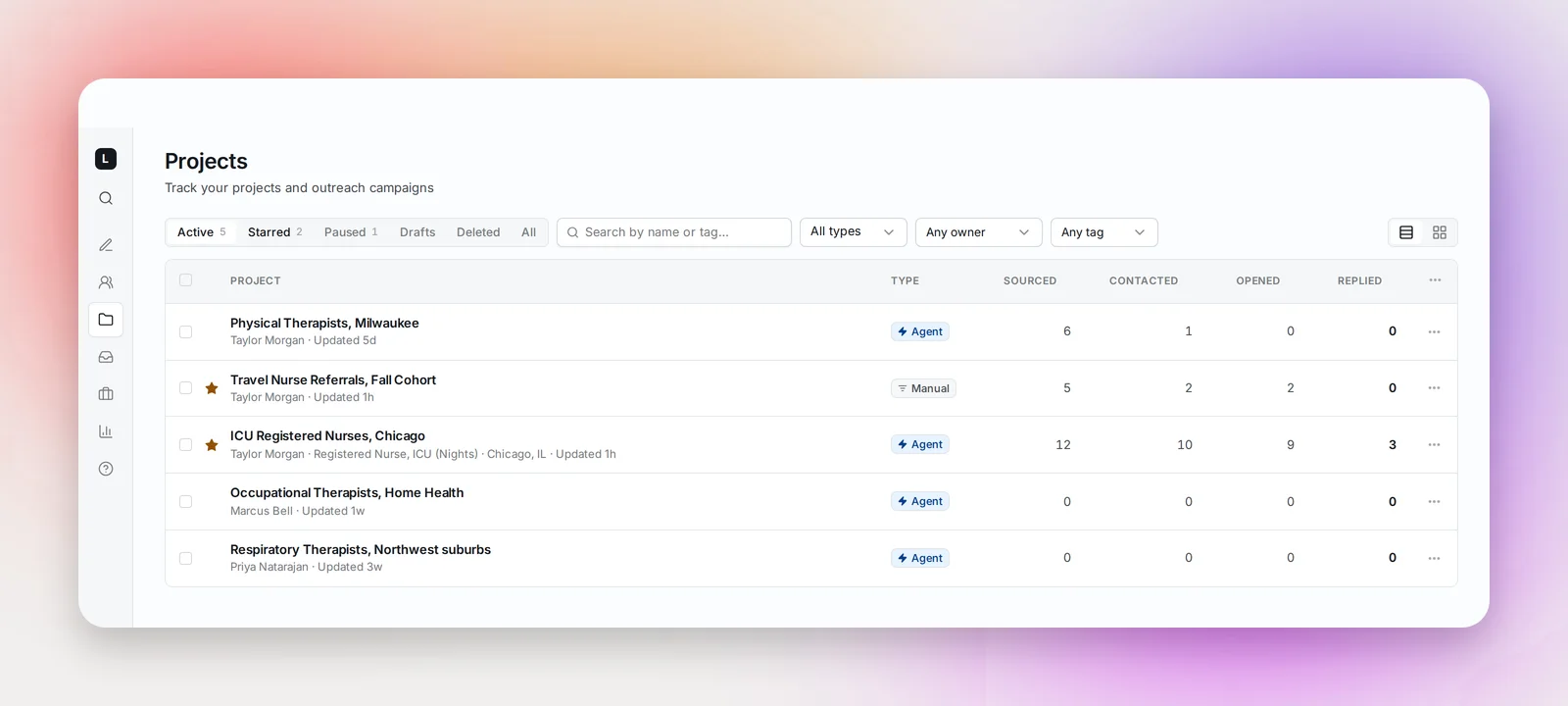
Projects in the sidebar lists every project in your workspace, yours and your teammates', with its status and outreach numbers.
Tabs and filters
The tabs are Active (default), Starred, Paused, Drafts, Deleted (only when there are any) and All. A project's status is derived from what's happened to it:
- Draft: created but never launched
- Active: launched and running
- Paused: launched, then paused
- Completed: finished projects, shown under All only
- Deleted: in the trash, restorable
Narrow further with the search box (name or tag), type (Agent or Manual), owner and tags. Your view, sort, columns and filters are remembered between visits; the search box isn't.
Columns and sorting
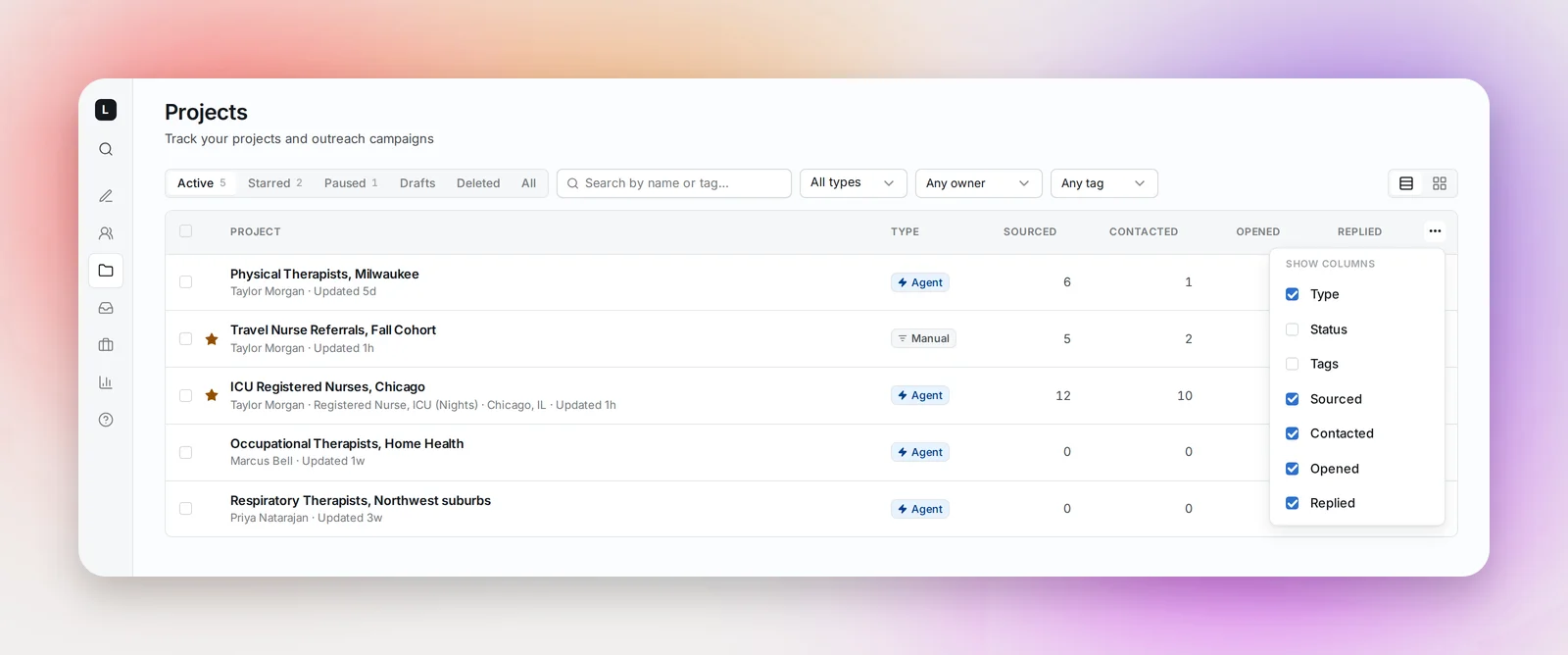
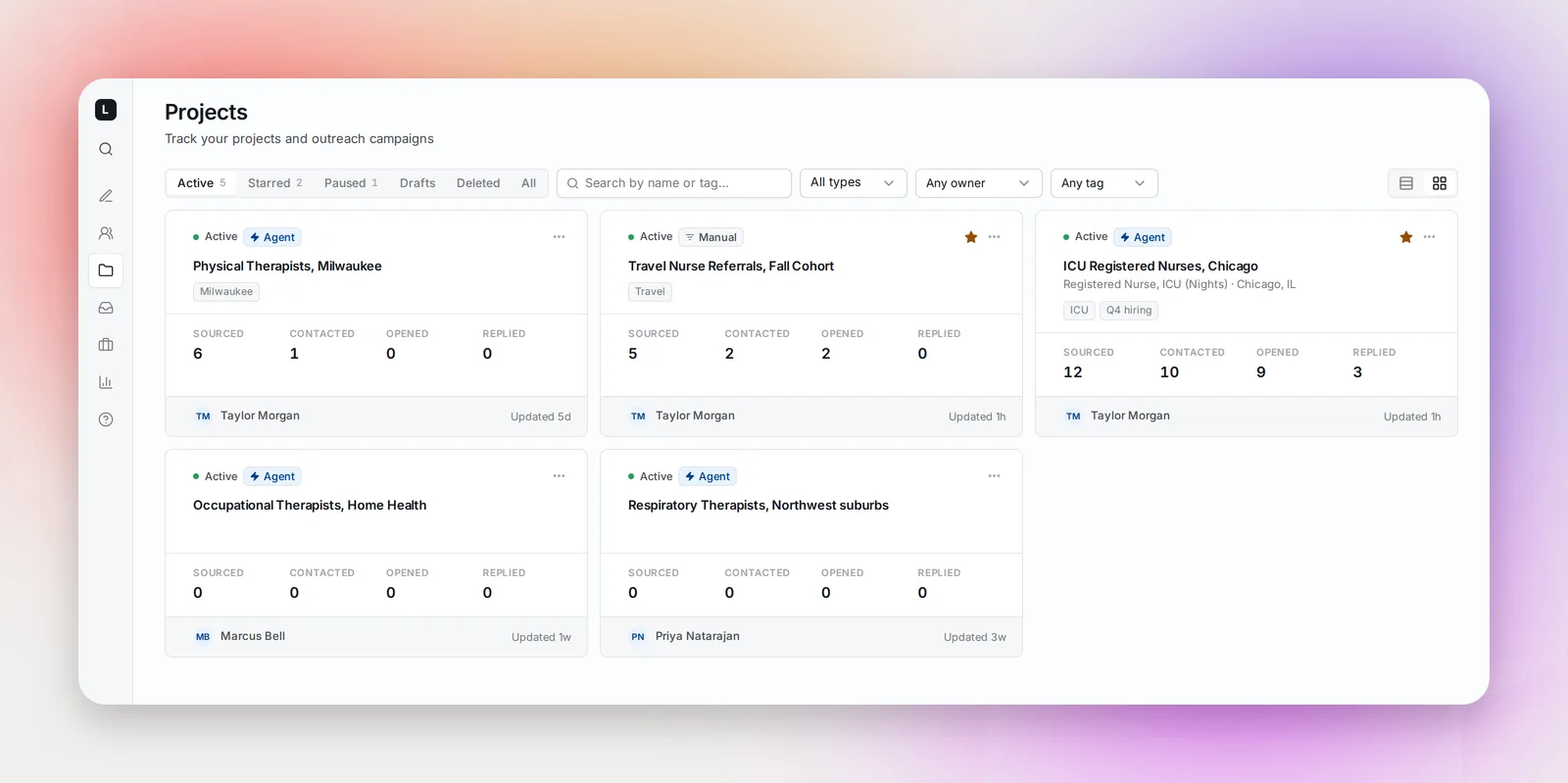
Switch between table and grid. The column chooser adds or hides Type, Status, Tags, Sourced, Contacted, Opened and Replied. Click a column header to sort ascending, again for descending, a third time to clear.
The four numbers mean: Sourced, candidates in the project (excluding blocked ones); Contacted, candidates who received at least one email; Opened and Replied, candidates who did, counted once each. Bounces never count as replies.
Stars, tags and bulk actions
Hover a row to star it; starred projects also appear in the sidebar. Tags are set on the project page and used here as a filter. Select several rows to Add tag, Pause, Resume, Restore or Delete them together.
The row menu has Rename…, Duplicate…, Pause/Resume, Delete and, under Deleted, Restore project. Launched projects come back paused until you resume them.
Frequently asked questions
Why can't I resume a project?
Its sequence isn't complete, usually a step without a subject or body. Open the project, finish the sequence, then resume.
Can I duplicate a project?
Yes. The … menu on a row or card has Duplicate…; the copy is a draft with the same search, sequence and tags, and optionally the candidates. See Duplicating a Project.
Are the numbers up to date?
Yes. They're calculated fresh every time you open the page, so what you see is the current state of every project.