
A duplicate is a project's setup without its history. The search, the sequence, the agent settings and the tags come along; sends, replies, hiring statuses and the Activity log don't. The copy is always a draft owned by you, so nothing sends until you launch it.
Where to find it
- On the Projects page, the … menu on a row or card has Duplicate…. Deleted projects don't offer it; restore them first.
- On a project's page, More actions (…) in the header has Duplicate project….
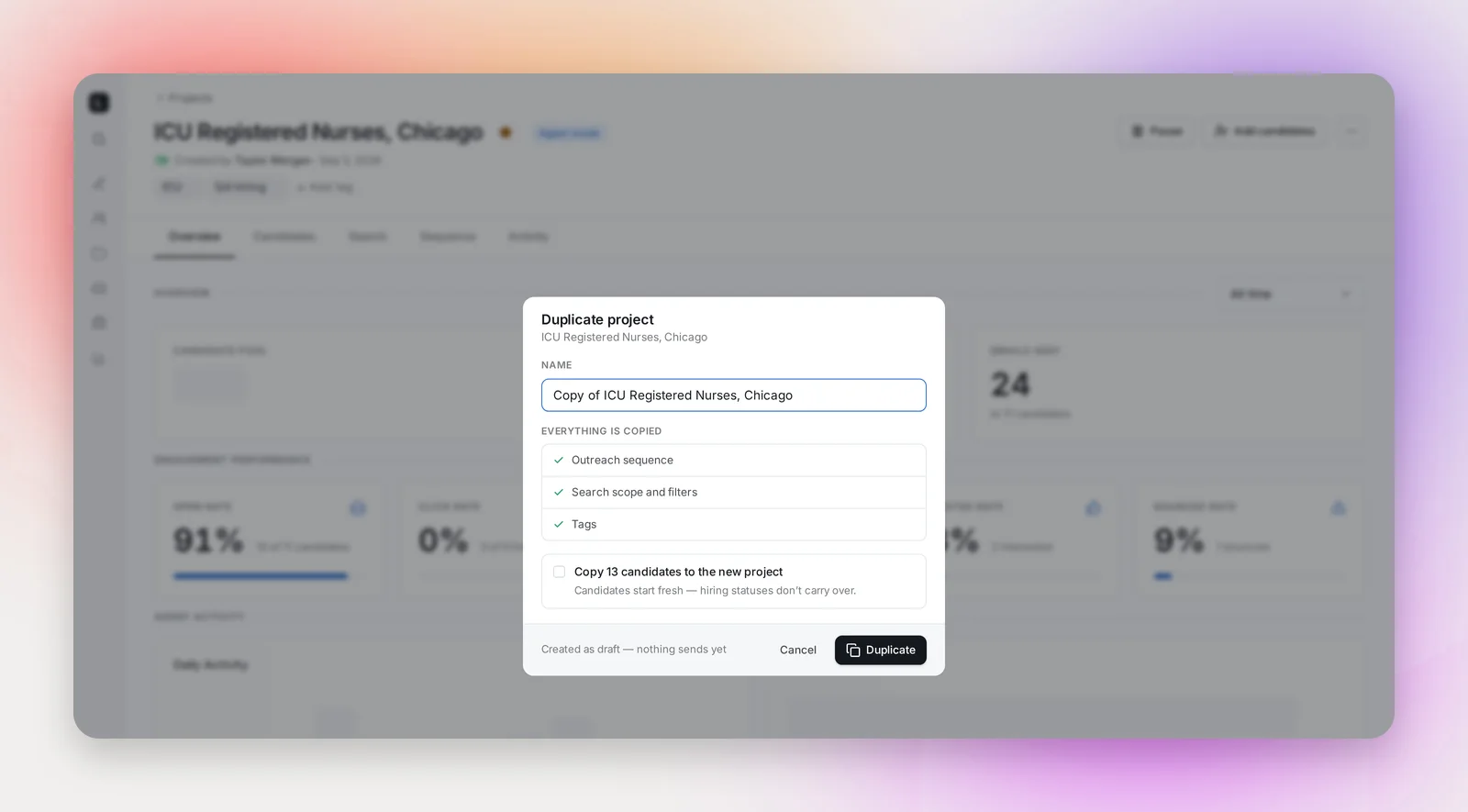
The dialog prefills the name as "Copy of …" and lists what's copied. Tick Copy N candidates to the new project if you want the candidates too (it's off by default, and greyed out when the project has none), then click Duplicate.
From the Projects page the list switches to Drafts and the copy appears at the top with a "Project duplicated" note. From a project's page the copy opens in a new tab, so the original stays where it was.
What's copied
- Search: the prompt, its parsed criteria and filters, the data sources, and the searches saved on the Search tab.
- Agent settings: Agent or Manual type (an agent project stays agentic, a manual one stays manual), daily candidate limit, the cross-project rule, priority and Supervised mode.
- Sequence: every step with its subject, body, format, HTML blocks, attachments and timing, plus the weekend, holiday and signature switches and a send-on date if one is set.
- Tags and the linked job.
Not copied: emails sent, opens, clicks, replies, hiring statuses, stars, the launch state and the Activity log. The copy sends from your mailbox: you become the owner and sender even when you duplicate a teammate's project.
Copying candidates
Optional, and off by default. The copy takes the project's live candidates, the same people the Projects page counts as Sourced, leaving out anyone blocked by a do-not-contact or employee rule and addresses that bounced before the agent ever reached them. Everyone arrives at the start of the sequence with no hiring status and no history; in a supervised project they land in Needs Review. The copy's Activity tab records "Duplicated from … with N candidates (statuses reset)".
Cross-project contact rules still apply when the copy launches: if the original's sequence is still running, or its candidates are inside your cool-off period, the copy's step 1 waits for them. See Cross-Project Contact Rules and Sourcing Settings and The Cool-off Period Between Sequences.
Frequently asked questions
Can I duplicate a teammate's project?
Yes. You own the copy and it sends from your default mailbox; the original is untouched.
The copy won't launch because the send-on date is in the past.
The sequence came across with the original's date. Open the Sequence tab and pick a new date, or switch step 1 back to a set time. See Sending a Sequence on a Future Date.
Where did the copy go?
The Drafts tab of the Projects page, at the top, with the owner filter set to everyone. From a project page it opened in a new browser tab; check for a blocked pop-up if you didn't see it.
Does duplicating count against anything?
No. Nothing is sent and no candidates are sourced until you launch the copy.