
When a candidate replies
The reply arrives in your mailbox like any email, and Betterleap sees it too:
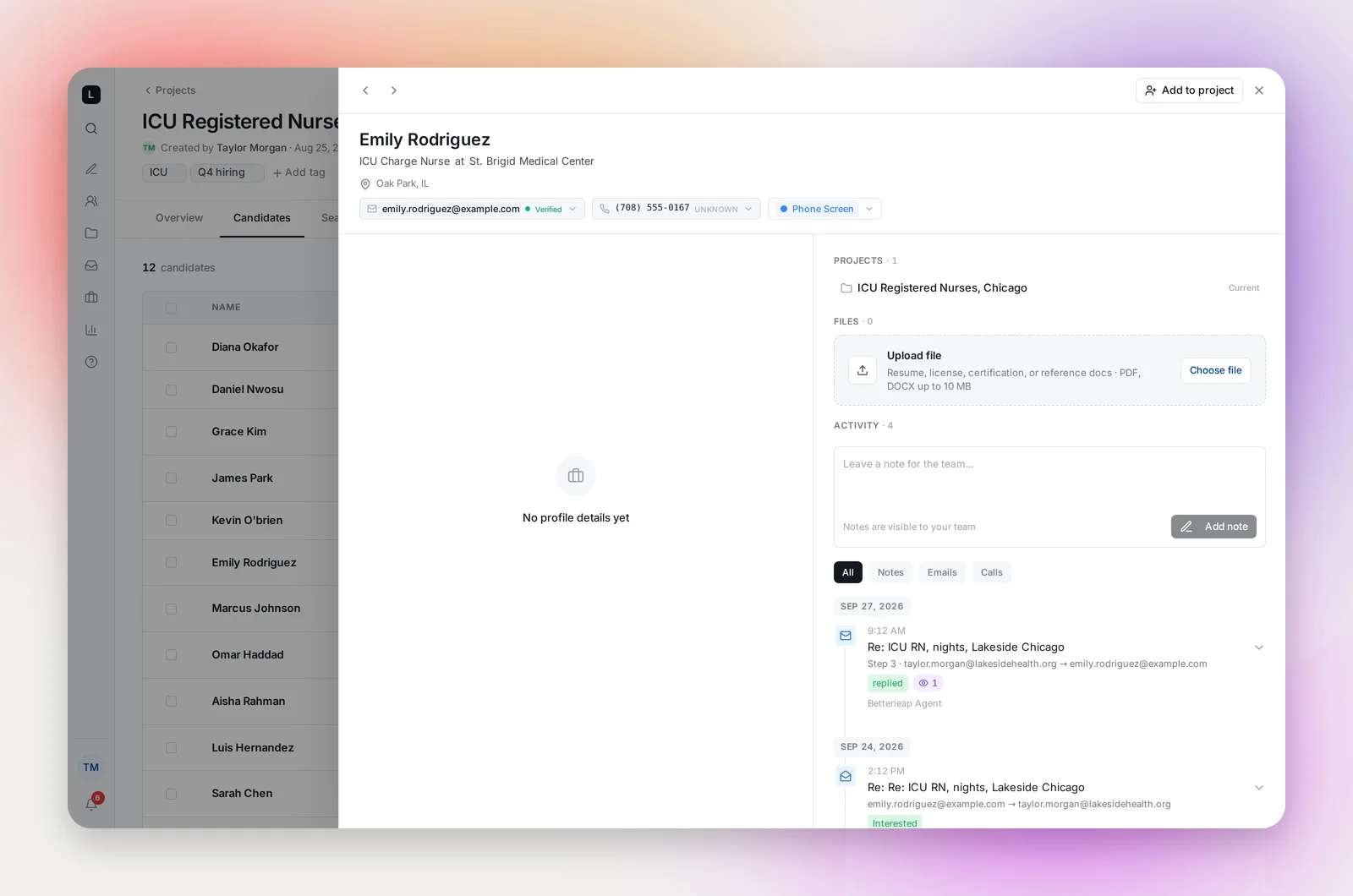
- The candidate's remaining steps stop, so no follow-up chases someone who already answered.
- Their outreach status becomes Replied, and the reply appears in their Activity timeline with a tag: Interested, Not Interested, Out of Office, Unsubscribed, New Email Address, Other or Bounced.
- An out-of-office auto-reply is tagged Out of Office but doesn't pause the sequence; follow-ups continue on schedule. A reply the candidate wrote themselves that mentions being away is a normal reply.
- If they reply with a new address, Betterleap switches to it automatically and the sequence continues.
- An Interested reply or Not interested notification appears in the bell; "View candidate" opens them in the project.
Reply from your inbox, in the same thread. Resume Sequence only applies to candidates you paused yourself; a reply ends that candidate's sequence.
Bounces
A bounce means the address rejected the email: invalid, full, or blocked. If the candidate has another address on file, Betterleap retries with it automatically. Otherwise they're marked Bounced and nothing further is sent. You can still add another email in the profile drawer and mark it Use for outreach for later projects, but using a new address doesn't restart a sequence that has already bounced.
Addresses that have hard-bounced are remembered and skipped in future imports and projects.
Opt-outs
A reply that asks you to stop, or a click on the unsubscribe link, ends outreach to that address in every project. See Unsubscribes and Opt-Outs.
Frequently asked questions
Can I see the reply inside Betterleap?
Yes, in the candidate's Activity timeline. Replies to emails from other projects show a placeholder rather than the body.
Does an out-of-office pause the sequence?
No. It's tagged Out of Office in the timeline and the follow-ups continue on schedule, so the candidate hears from you again once they're back.