
Most "my emails aren't sending" questions come down to one of the checks below. Work through them in order.
1. Is the project running?
Open the project. A Paused badge or a Resume button in the header means it's paused. Drafts have never been launched; look for Launch. On the Projects page, the Active tab shows only projects that are running.
2. Is the sequence complete?
Launch and Resume are blocked when a step is missing a subject or body, and the dialog names the step. Open the Sequence tab and fill it in. They're also refused when step 1's send-on date is already in the past: the toast says "Send-on date is in the past" and you're taken to the Sequence tab; pick a new date. See Sending a Sequence on a Future Date.
3. Is a mailbox connected and healthy?
Settings → Email sending. Each mailbox card shows a badge:
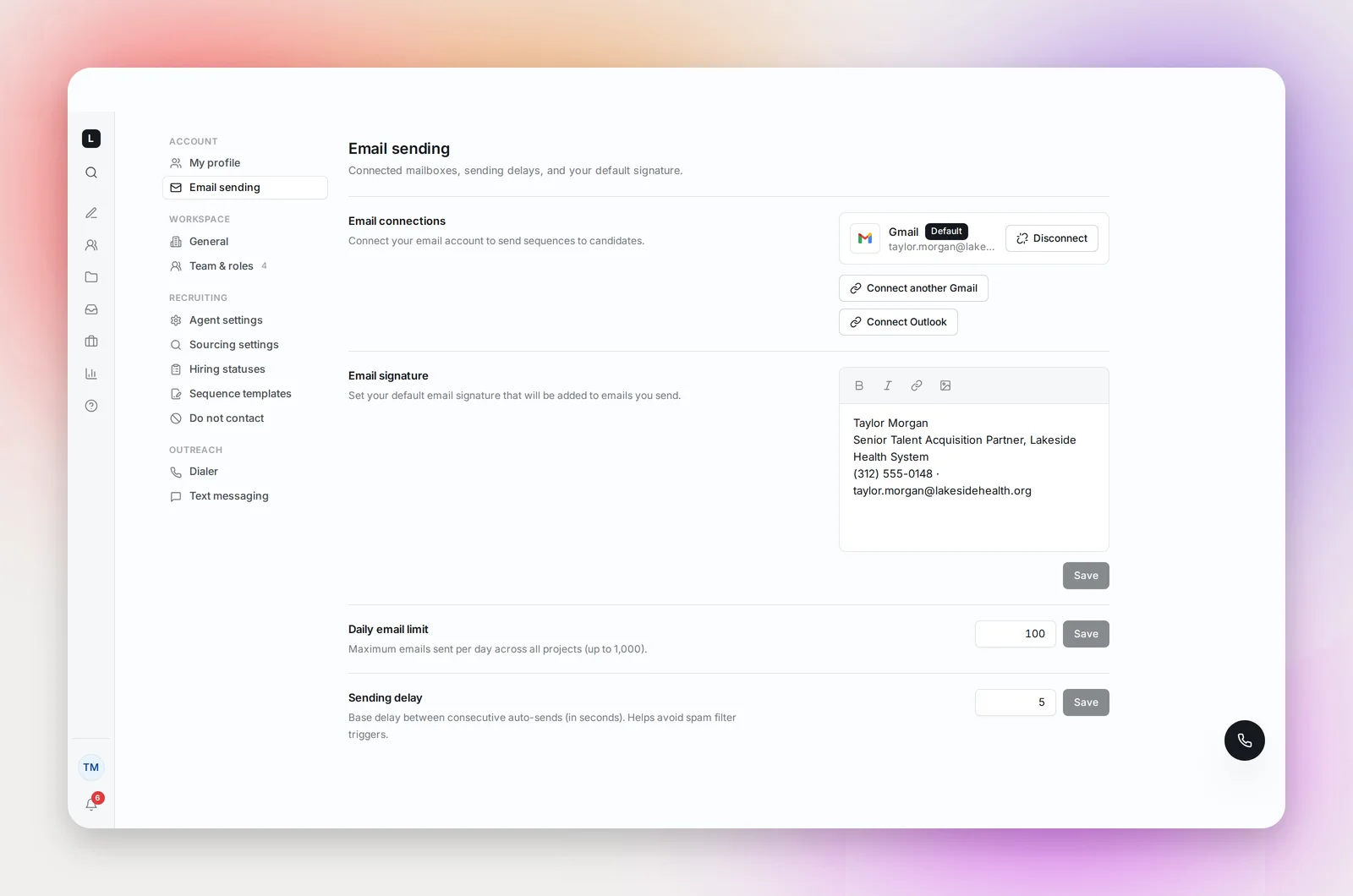
- Error: the connection needs re-authorizing. Click Retry and sign in again. This is the most common cause after a password change or a security review by your IT team.
- Paused: sending from this mailbox is stopped, with the reason on the card. Some Microsoft mailboxes are paused when your IT admin needs to re-enable outbound mail; once they have, click Resume sending. You'll also see a "Sending temporarily paused" notification in the bell.
- No mailbox at all: nothing can send. Connect one.
If you disconnected your mailbox, your projects stop until you connect one again.
4. Has today's limit been reached?
Your Daily email limit (Settings → Email sending) caps sends across all your projects. When it's reached, remaining candidates wait for tomorrow. With more than one mailbox connected, each can have its own daily limit, and those add up under your account's daily email limit. Send First Step tells you outright: "Daily sending limit reached. Resets at midnight."
5. Is it a sending day and time?
Sequences send on weekdays by default and skip US public holidays. Check the Sequence tab's settings summary ("Sends Mon–Fri · skips US holidays") and the send time on each step. Times are in your profile's time zone (Settings → My profile), not the candidate's. Candidates added after step 1's send time has passed wait for the next sending day's window. If step 1 shows Send on with a date, nothing goes out before that day; see Sending a Sequence on a Future Date.
6. Are the candidates eligible?
On the Candidates tab, the Sequence filter shows who is waiting and why:
- Pending: queued, will send in the next sending window. If the info icon next to it says "On hold", another project's sequence (or your cool-off period) has this candidate first; hover it for the date. See The Cool-off Period Between Sequences.
- Needs Review: a supervised project waiting for your approval
- Paused: outreach paused by you; select the candidate and use Resume Sequence
- No valid email: no usable address yet; add one and mark it Use for outreach
- DNC, Unsubscribed, Skipped · current employee: blocked on purpose
- Bounced: delivery failed and no other address was on file; the sequence doesn't restart for this candidate
Frequently asked questions
Emails send but candidates say they never arrived.
Check the bounce count on the Overview tab and read Deliverability Basics. A brand-new mailbox sending at full volume is the usual cause.
Follow-ups aren't going out to someone who replied.
That's by design: a reply pauses the candidate's remaining steps. See Replies, Bounces and Auto-Pausing.
I changed my time zone and steps moved.
Send times are interpreted in your time zone, so a change shifts every scheduled step. Set the zone once and adjust step times instead.