
With Cross-project contact rules set to Block across all projects (see Cross-Project Contact Rules and Sourcing Settings), a candidate who is already in an active sequence in one project waits in every other project that wants them. On its own, that wait ends the moment the first sequence does: a candidate whose last follow-up went out on Monday could get a second project's first email on Tuesday. The cool-off period adds a gap. After a sequence ends, the candidate stays out of other sequences for a number of days you choose, counted from the last time they were emailed or replied.
Setting the cool-off
Open Settings → Agent settings (under Recruiting). The Cool-off period row sits directly under Cross-project contact rules. Enter a number of days, from 0 to 365, and click Save.
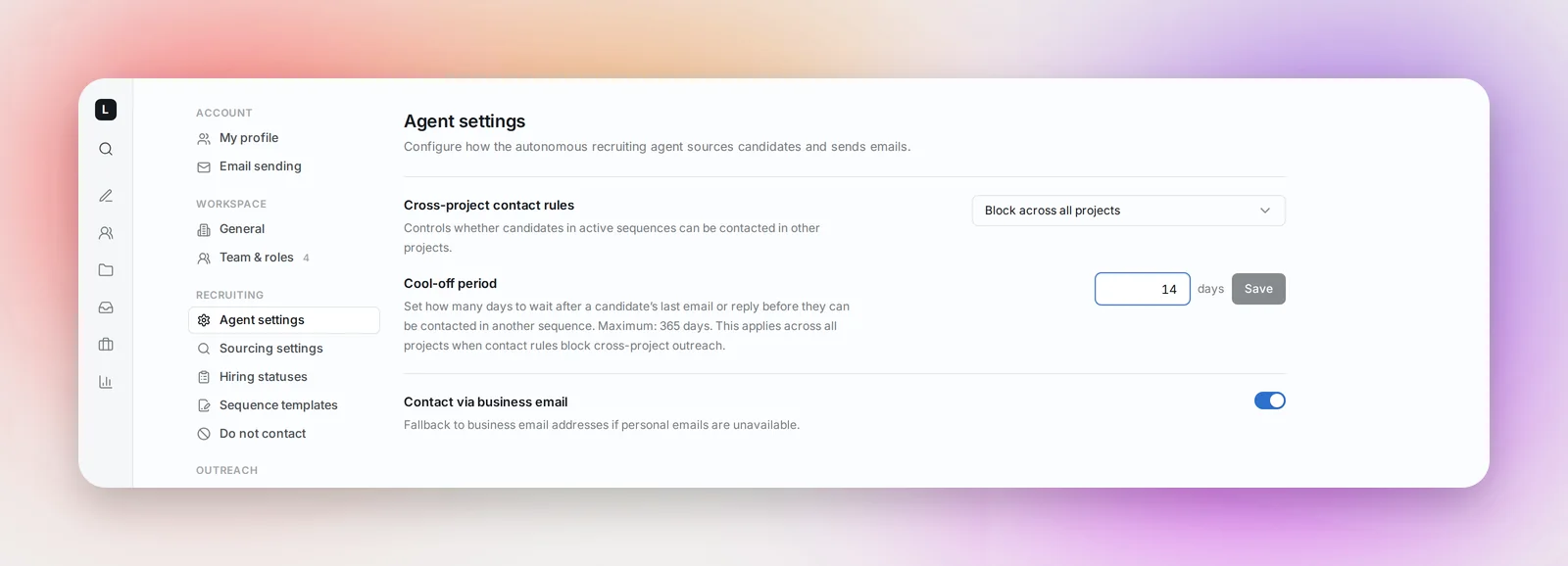
- 0, the default, means no gap: the block lifts as soon as the other sequence ends.
- The field is only active while the rule above it is Block across all projects. Under Allow in different projects nothing is blocked, so there is nothing to cool off.
- The setting is per recruiter and applies to the projects you own. A teammate sets their own number for theirs.
How the clock runs
The cool-off counts from the candidate's last touch in the other project: the last email sent to them or their last reply, whichever is later. A reply restarts the clock, so with a 14-day cool-off a candidate who answered a teammate on the 3rd is held until the 17th, even if that sequence had finished earlier. It applies however the sequence ended, whether it ran to its last step or stopped because the candidate replied.
The project that reached the candidate first is the one the others wait for; a later project never holds up an earlier one. And a reply is not a permanent claim: "Replied" includes "not interested" and "wrong person", so once the cool-off has passed the candidate can be contacted by a different project.
What you see in a project
On the Candidates tab a held candidate shows as Pending with an amber info icon. Hover it for the reason:
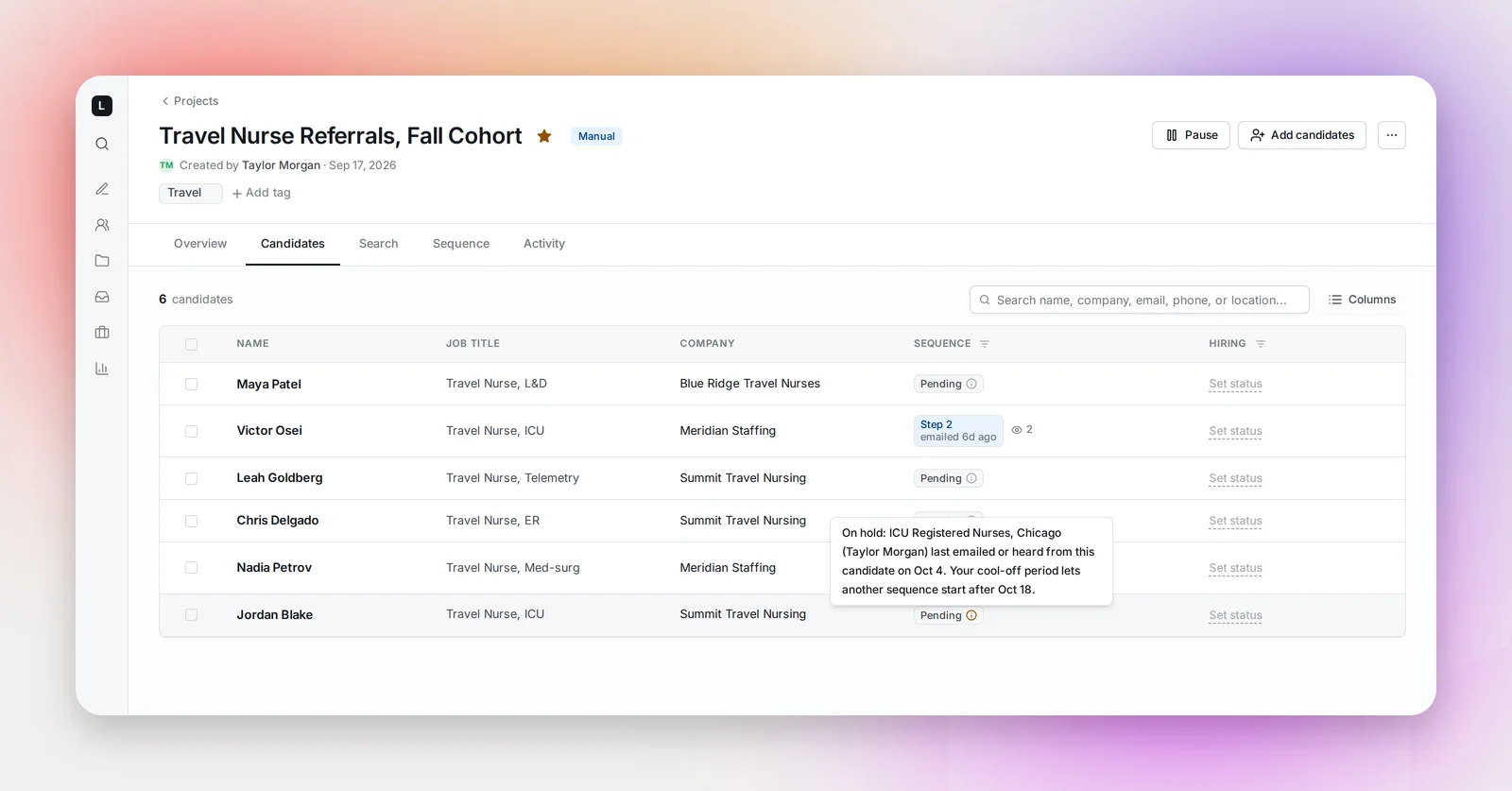
While the other sequence is still running the note says that project "has an active sequence with this candidate"; once it has ended and the cool-off is counting, it names the day the candidate was last emailed or heard from and the day the hold lifts. Nothing to do on your side: step 1 goes out at the next send window after that day.
If you click Send 1st step yourself for a held candidate, Betterleap warns you: Cross-Project Conflicts Detected, with each candidate listed as "Recently contacted in
Frequently asked questions
Does it apply to manual projects?
Yes. Every project you own, agent or manual, waits the same way. The Send 1st step button is the one place you can override it, and it asks first.
My teammate uses a different number. Which one counts?
The owner of the project that wants to send. Each recruiter's cool-off applies to their own projects, and a teammate on "Allow in different projects" has neither the block nor the cool-off.
Does it hold candidates nobody has emailed yet?
No. Only candidates another project has already emailed, or who replied there, are held. Candidates who were sourced but never contacted are not in a sequence.
Does changing the number affect emails already scheduled?
It applies the next time a step 1 is about to go out. Follow-ups within a sequence are never affected; the cool-off is only about starting a new sequence.