
In a Manual project, you decide who goes in. Run as many searches as you like, add the people you want, and the agent sends them the sequence. Nothing is sourced for you and nobody is contacted that you didn't add.
Finding candidates
Three ways in, and you can use all of them in one project:
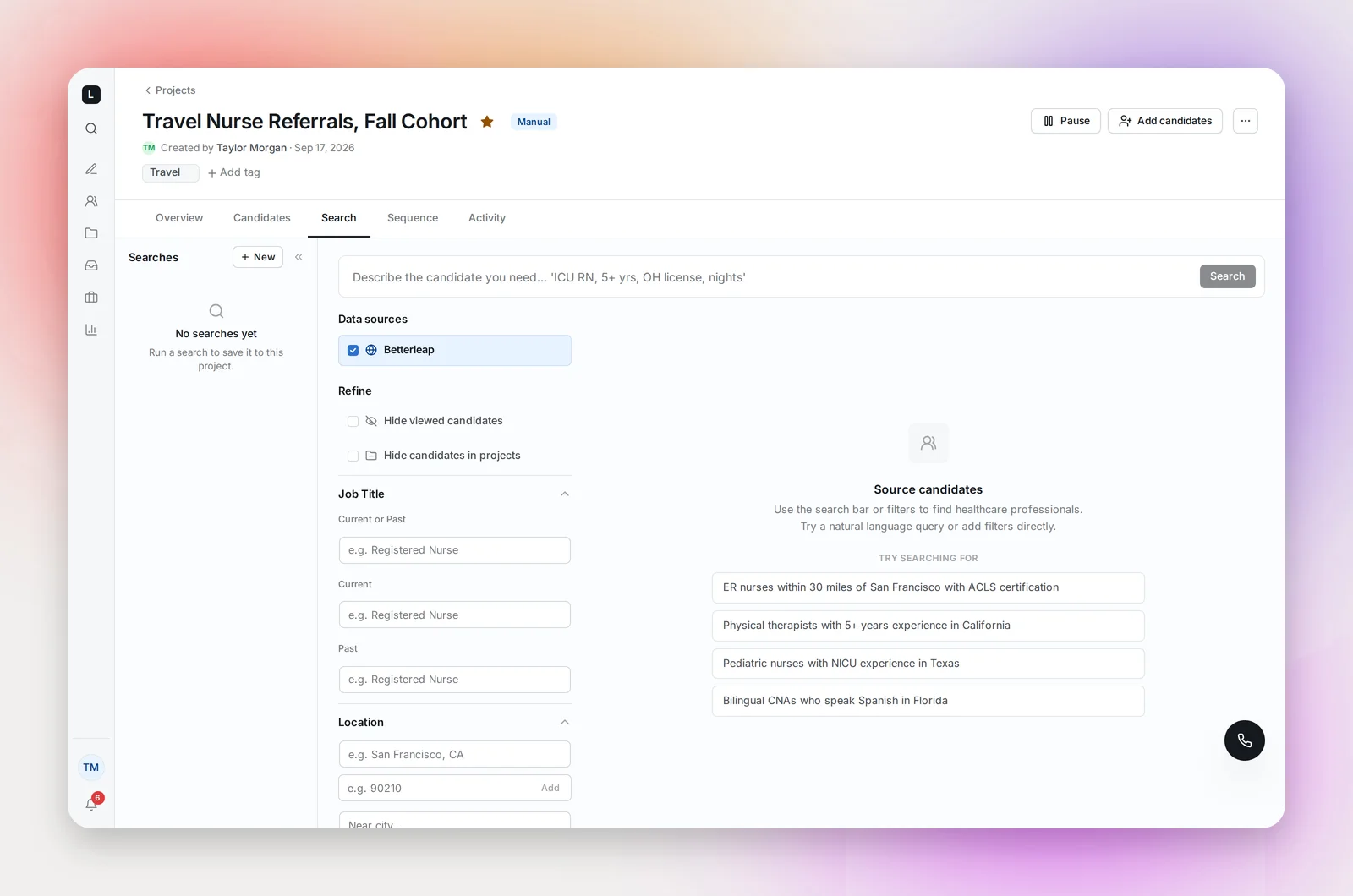
- The project's Search tab: a saved list of searches for this project. Click New, run a search, and use Add to sequence on the people you want. Every search is kept in the rail, and there's no limit on searches per project.
- Search: the sidebar page, when you'd rather search outside a project. Run a search, add candidates with Add to project, change the filters, run another. See Search.
- A file: import a CSV or spreadsheet of people you already have. See Importing Candidates from a File.
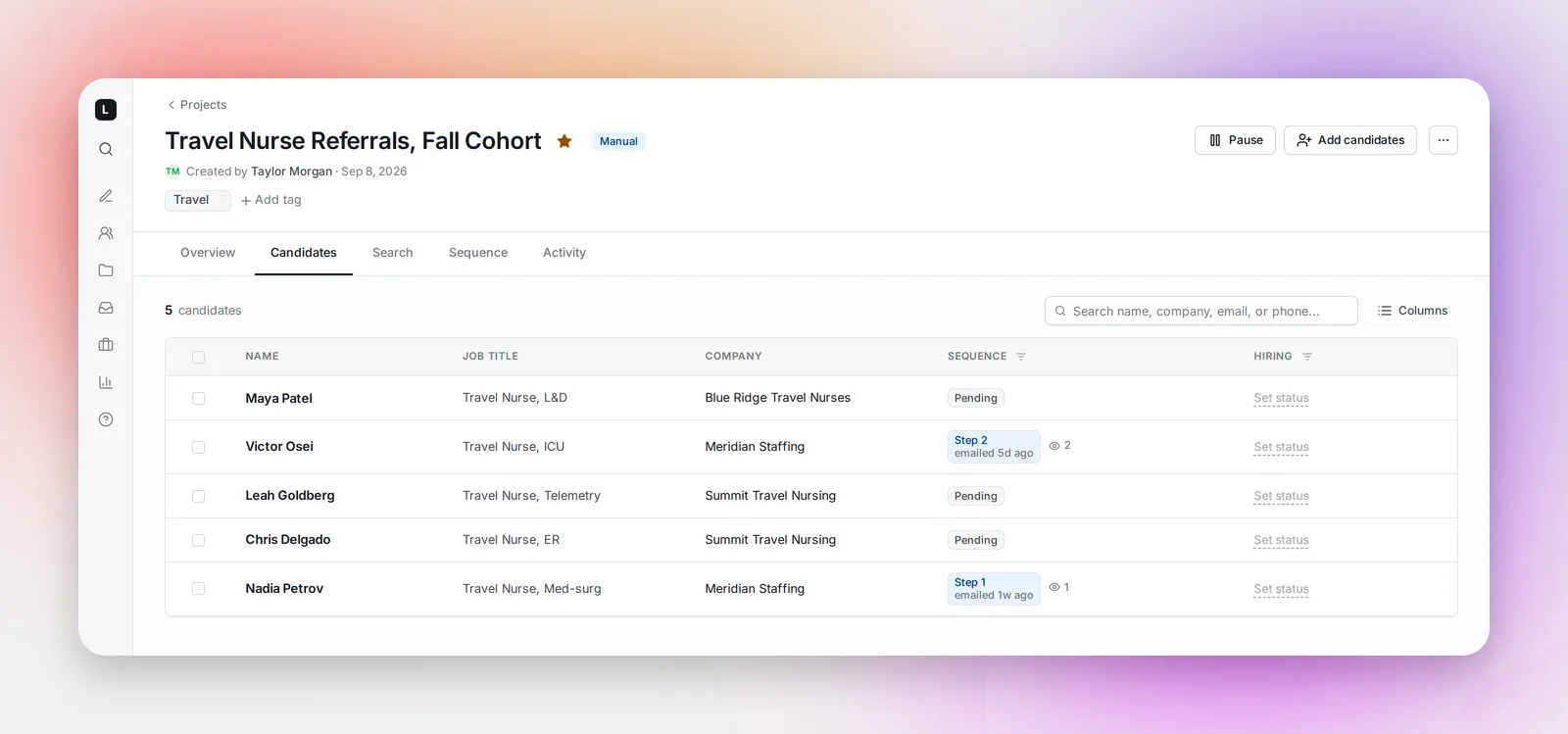
Candidates you add appear on the Candidates tab as Pending.
The sequence
The agent doesn't write it for a Manual project. Build it on the Sequence tab, or apply one of your team's templates and adjust it. See Building a Sequence and Sequence Templates.
Launching and sending
Launch is a single button; there's no supervised mode because you're already choosing everyone. Once launched, candidates you add wait as Pending for step 1's next send time. If you add them after today's time, they go out at the next one. To start someone right away, select them and use Send First Step, which ignores the send window; use Pause Sequence for anyone you'd rather hold.
When to use Manual
- A shortlist of specific people, referrals, or a list from an event
- A file of past applicants or a client's candidates
- Roles where you want to look at every profile before anyone is emailed
- Sourcing that changes as you go: different titles, different cities, different filters, all feeding one sequence
For a role where the pool is bigger than you could work by hand, an Agent project does the sourcing for you. See Agent Projects.
Frequently asked questions
Can the agent source for a Manual project later?
No. Project type is fixed. Start an Agent project with the same prompt and copy across any candidates you want to keep.
Do cross-project rules apply?
Yes. Search marks candidates already in other projects, and Send First Step warns you when someone is in another active sequence or still inside your cool-off period after one. A Pending candidate's ⓘ icon shows which project is holding them. See Cross-Project Contact Rules and Sourcing Settings and The Cool-off Period Between Sequences.
Can I run a Manual project without a sequence?
You can add candidates, take notes and set hiring statuses without one, but nothing sends until a sequence exists and the project is launched.