
An Agent project is built around one search. You describe the role, the agent turns that into search instructions, and from launch onward it keeps finding matching candidates and sending them your sequence. Your job is to get the instructions right, decide how much to supervise, and work the replies.
One search, shaped together
The Search tab of an Agent project isn't a search box you run again and again. It shows:
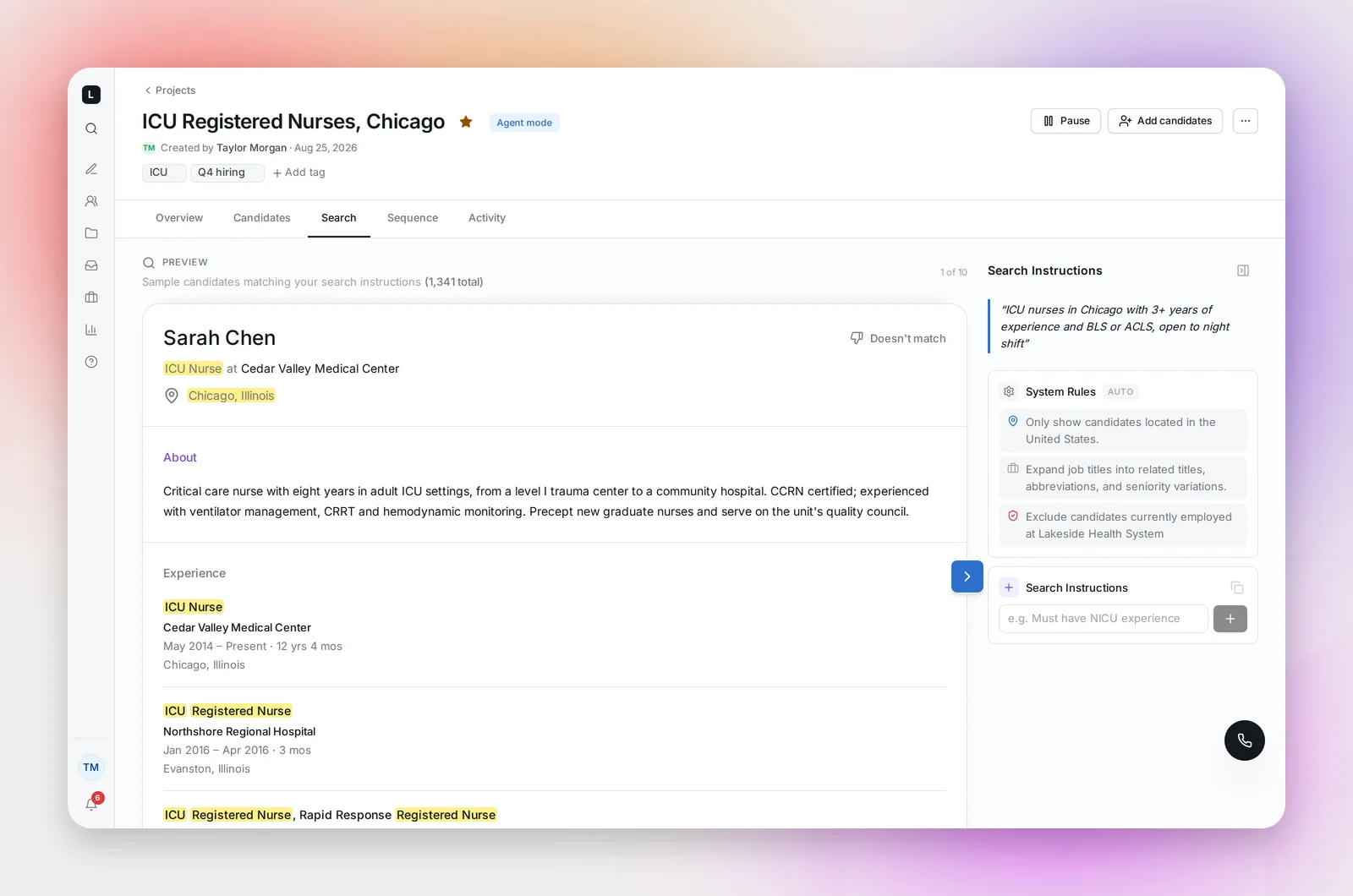
- Preview: a sample of candidates matching the current instructions, with the size of the whole matching pool. Mark any that miss with Doesn't match and say why.
- Search Instructions: the rules the agent sources by. The System Rules line (expanding titles into related titles, abbreviations and seniority variations) is automatic. Below it you add your own, for example "Must have NICU experience" or "Exclude travel nurses".
Refine until the preview looks like the people you'd call, then launch. That's the collaboration: your prompt, the agent's interpretation, your corrections.
After launch, the agent runs it
Choose Launch supervised (candidates queue as Needs Review until you approve them) or Launch full agent (the agent approves for you). From here the agent sources on its own, adds candidates to the project and sends the sequence from your mailbox, every sending day, within your daily limit. The Overview tab's Candidate pool card shows how much of the matching pool has been sourced so far.
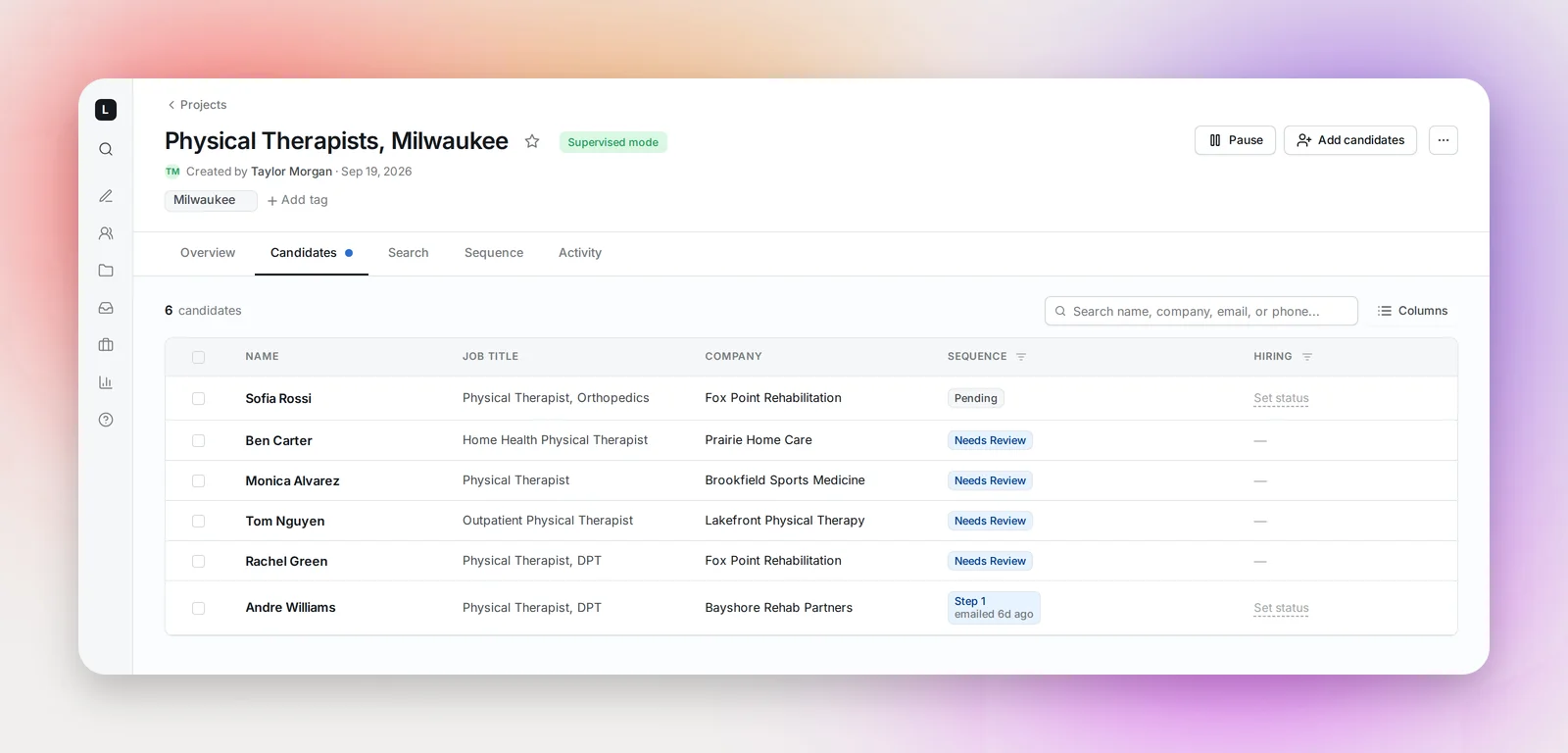
You can still edit the instructions at any time. Changes apply to future sourcing only: candidates already in the project stay until you remove or reject them. Apart from that, the search is done; there's nothing to re-run.
When you want a different search
Start a new Agent project, or use Duplicate project… from the project's menu to copy this one (sequence, instructions, tags) as a draft and edit its instructions; see Duplicating a Project. A project's search can be refined, not replaced, so "ICU nurses in Ohio" and "ICU nurses in Michigan" are two projects. Use tags to keep related projects together on the Projects page, and copy candidates between projects from the Candidates tab if someone fits both.
Frequently asked questions
Can I add candidates to an Agent project myself?
Yes. Use Search (the sidebar page) or a file import and add them to the project; they join the same sequence. The agent keeps sourcing alongside.
Can I stop the agent sourcing but keep emailing the candidates I have?
Pause the project to stop both. To stop sourcing only, tighten the instructions so nothing new matches, or switch the project to Supervised and simply stop approving.
How do I know the search is good before launch?
The preview is the test. If most of the sample would get a call, launch supervised and approve the first batch; if the preview is off, fix the instructions first.